
.svg)

95% of Fortune 500 companies rely on Cisco ASA to protect their networks. If you’re preparing for a CISCO ASA interview question round, you’re likely aiming to join this elite group of professionals. Whether you’re new or experienced, being proficient with these questions will boost your confidence and show you’re ready to tackle real-world network security challenges.
If you're looking to apply your expertise in dynamic environments, Weekday.works connects you with opportunities that value these skills.
Let's look into some of the top Cisco ASA interview questions you’re likely to encounter.
45+ Top Cisco ASA Interview Questions You Need to Prepare For

Cisco ASA Firewall Questions
The foundation of Cisco ASA’s security lies in its firewall capabilities. This section explores key firewall concepts, configurations, and features essential for protecting networks.
Understanding these questions helps you grasp how ASA manages traffic, enforces policies, and safeguards systems from unauthorized access: knowledge that’s crucial for any security role involving Cisco ASA.
1. What is Cisco ASA?
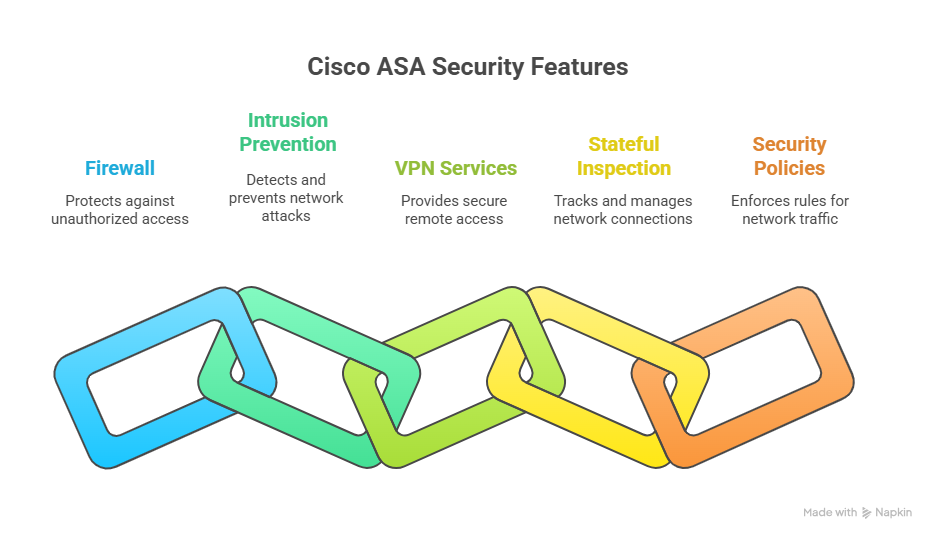
The Cisco Adaptive Security Appliance (ASA) is a comprehensive network security device that integrates multiple functionalities into a single platform.
Designed to protect networks of all sizes, from small businesses to large enterprises, it combines stateful firewall capabilities, Virtual Private Network (VPN) support, Intrusion Prevention System (IPS), antivirus, and web filtering. This integration streamlines security management and enhances threat detection and response.
2. Explain the basic functions of Cisco ASA.
The basic functions of Cisco ASA include providing firewall protection, VPN connectivity, intrusion prevention, and content security. It also offers advanced features like deep packet inspection, dynamic routing, and site-to-site VPNs.
3. Differentiate between Stateful and Stateless Firewalls.
Firewalls control traffic between networks by enforcing security policies. The two main types are stateful and stateless firewalls, which differ in how they inspect and process network packets. Understanding their differences helps in selecting the right firewall approach for specific security needs.
4. What is the purpose of the Modular Policy Framework (MPF) in Cisco ASA?
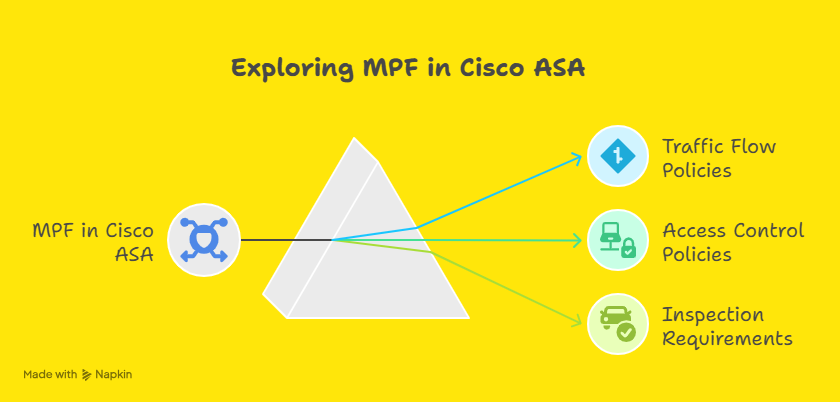
MPF in Cisco ASA provides a flexible framework for configuring and applying security policies. It allows administrators to create and apply policies based on traffic flow, access control, and inspection requirements.
5. Describe the difference between security levels in Cisco ASA.
Cisco ASA uses security levels to define the trustworthiness of its network interfaces, with values ranging from 0 to 100. A higher security level indicates a more trusted interface, while a lower level is less trusted.
- By default, traffic is allowed to flow from a higher security level interface to a lower one without restriction.
- Traffic from a lower security level to a higher level is denied unless explicitly permitted by Access Control Lists (ACLs).
For example, the inside interface usually has a security level of 100 (most trusted), and the outside interface has a security level of 0 (least trusted). This model helps enforce security policies and control traffic flow between different network zones.
6. How does NAT work in Cisco ASA?
Network Address Translation (NAT) in Cisco ASA modifies IP address information in packet headers as traffic passes through the device. Its primary purpose is to enable devices with private IP addresses to communicate with external networks using public IPs, while also hiding internal network details for security.
Cisco ASA supports several NAT types:
- Static NAT: One-to-one mapping between a private IP and a public IP, often used for hosting servers accessible from outside.
- Dynamic NAT: Maps multiple private IPs to a pool of public IPs on a first-come, first-served basis.
- Dynamic PAT (Port Address Translation): Also called NAT overload, allows many internal devices to share a single public IP by using different ports.
7. What is the purpose of the Security Levels in Cisco ASA?
Security levels in Cisco ASA are used to assign trust levels to different network interfaces. They help in controlling the flow of traffic between interfaces based on their assigned security levels.
8. Explain the purpose of Access Control Lists (ACLs) in Cisco ASA.
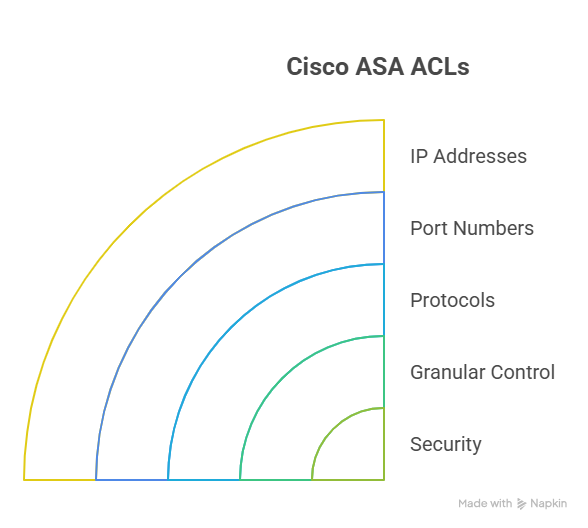
ACLs in Cisco ASA are used to define rules that permit or deny traffic based on various criteria such as IP addresses, port numbers, and protocols. They provide granular control over network traffic and enhance security.
9. How does VPN functionality work in Cisco ASA?
VPN functionality in Cisco ASA allows secure communication between remote sites or remote users and the corporate network. It encrypts traffic to ensure confidentiality and integrity of data over untrusted networks.
10. What is the difference between a Site-to-Site VPN and a Remote Access VPN in Cisco ASA?
- Site-to-Site VPN links entire networks securely over the internet, typically connecting branch offices to a central data center. It’s ideal for fixed locations that need continuous, encrypted communication between their internal networks.
- Remote Access VPN provides secure, on-demand connections for individual users working remotely. It’s suited for mobile employees or contractors who require access to corporate resources from anywhere, often using Cisco AnyConnect or other VPN clients.
11. How does Cisco ASA differ from a traditional firewall?
Traditional firewalls primarily filter network traffic based on static rules, such as IP addresses, ports, and protocols, inspecting packets individually without context. They mainly control access by allowing or blocking traffic but offer limited threat detection.
Cisco ASA goes beyond basic filtering by combining firewall functions with advanced security features like stateful inspection, VPN support, intrusion prevention, and deep packet inspection. This integration delivers more comprehensive protection, better threat visibility, and flexible policy enforcement in one platform.
12. Can you explain the ASA model family and its different configurations?
Cisco ASA offers a range of models designed to meet different network sizes and security requirements:
- ASA 5506-X, 5508-X, 5516-X: Entry-level to mid-range models suited for small to medium businesses. These devices provide essential firewall, VPN, and basic threat protection features.
- ASA 5525-X, 5545-X, 5555-X: Mid-to-high-end models designed for larger enterprises. They offer higher throughput, advanced security features, and support for multiple VPN tunnels and Firepower services.
- ASA 5585-X: High-performance models built for data centers and large-scale environments. They support extensive firewall policies, advanced threat defense, and clustering for high availability.
Security Enhancement: ASA 5500-X series models also support Firepower services, which integrate next-generation IPS, malware defense, and application visibility. Configurations vary based on deployment needs, including single-device setups, active/standby failover, or clustering for scalability and redundancy.
13. What are the primary differences between Cisco ASA and Cisco FTD (Firepower Threat Defense)?
Cisco ASA is a robust firewall platform offering stateful inspection, VPN capabilities, and basic intrusion prevention. It focuses on securing network boundaries with proven firewall and VPN technologies.
Cisco Firepower Threat Defense (FTD) builds on ASA’s foundation by integrating advanced security services such as next-generation intrusion prevention (IPS), URL filtering, malware protection, and centralized management through Firepower Management Center (FMC).
FTD provides deeper threat intelligence, enhanced visibility, and unified control, making it better suited for evolving cybersecurity demands.
Cisco Firepower Threat Defense (FTD) Questions
Building on core ASA firewall knowledge, Firepower Threat Defense introduces advanced threat protection and unified management. This section dives into FTD-specific features like intrusion prevention, malware defense, and centralized policy control. Developing a solid understanding of these topics equips you to address today’s cybersecurity challenges using Cisco’s integrated security platform..

14. Explain the role of the Firepower Management Center (FMC) in FTD.
The Firepower Management Center (FMC) is the centralized management console for FTD devices. It provides a unified platform for managing policies, viewing alerts, and generating reports for the entire security infrastructure managed by FTD.
15. What is the purpose of the Snort intrusion detection and prevention engine in FTD?

The Snort engine in FTD is used for real-time traffic analysis and threat detection. It performs intrusion detection and prevention by inspecting packets for known signatures and anomalies, helping to protect the network from attacks.
16. Describe the function of Security Intelligence in FTD.
Security Intelligence in FTD provides real-time threat intelligence feeds that help in identifying and blocking malicious IP addresses, domains, and URLs before they reach the network, enhancing overall security posture.
17. How does SSL Decryption work in FTD?
SSL Decryption in FTD allows the inspection of encrypted SSL/TLS traffic. By decrypting the traffic, FTD can apply security policies to the content, ensuring that hidden threats in encrypted traffic are identified and mitigated.
18. What is the purpose of Advanced Malware Protection (AMP) in FTD?
Advanced Malware Protection (AMP) in FTD provides continuous monitoring and analysis of files and traffic for malware. It uses threat intelligence and dynamic analysis to detect, block, and remediate advanced malware threats.
19. Explain the concept of a Firepower Device Manager (FDM) in FTD.
Firepower Device Manager (FDM) is a web-based management interface for FTD devices. It provides a simplified and intuitive platform for configuring and managing the security features of FTD without the need for FMC.
20. How does FTD integrate with the Cisco Identity Services Engine (ISE)?
FTD integrates with Cisco ISE to leverage user and device identity information for access control and policy enforcement. This integration enables more granular security decisions based on user identity and group membership.
21. What are the advantages of using FTD over traditional Cisco ASA?
FTD offers advanced threat protection features such as intrusion prevention, malware protection, and URL filtering, which are not available in traditional Cisco ASA. It provides a more comprehensive security solution with unified management and better visibility into threats.
22. Explain the concept of Threat Intelligence Director (TID) in FTD.
Threat Intelligence Director (TID) in FTD is a feature that allows the integration of third-party threat intelligence feeds into FTD. It enhances security by using external intelligence sources to identify and block emerging threats.
23. Describe the role of Access Control Policies in FTD.
Access Control Policies in FTD define the rules for allowing or denying traffic through the network. They are used to enforce security policies based on various criteria such as IP addresses, applications, users, and threat levels.
General Networking and Security Questions
Effective use of Cisco ASA and FTD requires solid grounding in networking fundamentals and security principles. Here, you’ll find questions that reinforce your understanding of essential concepts like VPNs, VLANs, encryption, and protocols equipping you to connect ASA technologies with broader network operations.

24. Explain the OSI model and its relevance to networking.
The OSI (Open Systems Interconnection) model is a conceptual framework that defines a networking framework to implement protocols in seven layers: Physical, Data Link, Network, Transport, Session, Presentation, and Application.
Each layer serves a specific function in the process of transmitting data over a network.
The OSI model helps in standardizing communication functions and provides a common language for different networking technologies to interoperate.
25. How do you configure a VPN on Cisco ASA?
Configuring a VPN on Cisco ASA involves several key steps depending on the type of VPN: Site-to-Site or Remote Access:
- Define the VPN Type: Choose between Site-to-Site VPN for connecting networks or Remote Access VPN for individual users.
- Configure ISAKMP (IKE) Policies: Set up the Internet Security Association and Key Management Protocol policies to negotiate secure tunnels.
- Create Tunnel Groups and Crypto Maps: Define peer endpoints and apply cryptographic parameters like encryption and hashing algorithms.
- Set up Access Lists: Specify which traffic is allowed through the VPN tunnel.
- Configure Authentication: Set user credentials or certificates to secure access.
- Apply VPN Settings to Interfaces: Bind the VPN configurations to the relevant ASA interfaces.
For Remote Access VPNs, Cisco AnyConnect client is commonly used to provide secure and flexible remote connectivity.
26. What is the difference between a router and a switch?
A router connects multiple networks and directs data packets between them based on IP addresses. It manages traffic between local networks and external networks like the internet, making decisions to forward packets to their correct destination.
A switch, on the other hand, operates within a single network. It connects multiple devices, such as computers and printers, forwarding data based on MAC addresses to ensure efficient communication within the local network.
27. What is ASA Clustering, and how does it help in high availability and scalability?
ASA Clustering allows multiple Cisco ASA devices to work together as a single logical firewall. This setup increases performance by distributing traffic across all cluster members, providing load balancing. It also enhances high availability, since if one ASA fails, others continue to handle traffic without interruption.
Clustering supports scalability by allowing additional ASA units to be added seamlessly, accommodating growing network demands while maintaining consistent security policies.
28. What is VLAN and how does it enhance network security?
VLAN (Virtual Local Area Network) is a technology that segments a physical network into multiple logical networks. This allows devices on different VLANs to be isolated from each other, even if they are connected to the same physical switch. Separating sensitive data or devices into different VLANs enhances network security by limiting the scope of broadcast domains and reducing the risk of unauthorized access.
29. Describe the purpose of subnetting.
Subnetting is the process of dividing a single IP network into smaller, more manageable sub-networks. The purpose of subnetting is to improve network performance and efficiency by reducing broadcast traffic and to enhance security and control by segregating different parts of a network.
30. What is the purpose of a default gateway in networking?
The default gateway is a router or network node that serves as the access point for devices in one network to communicate with devices in another network. It is used when a device wants to send traffic to a destination outside its local network.
31. Explain the concept of DHCP and how it works.
DHCP (Dynamic Host Configuration Protocol) is a network protocol used to automatically assign IP addresses and other network configuration parameters to devices on a network. When a device connects to the network, it sends a DHCP discovery message.
The DHCP server responds with an offer message that includes an IP address and other configuration details. The device then accepts the offer, and the server acknowledges the assignment.
32. What is the difference between TCP and UDP?
TCP (Transmission Control Protocol) is a connection-oriented protocol that ensures reliable and ordered delivery of data. It establishes a connection between sender and receiver, performs error checking, and guarantees that packets arrive intact and in sequence. TCP is ideal for applications like web browsing, email, and file transfers where accuracy is crucial.
UDP (User Datagram Protocol) is a connectionless protocol that sends packets without establishing a connection or guaranteeing delivery.
It offers faster transmission but with less reliability. UDP is commonly used for applications like video streaming, online gaming, and voice calls, where speed is prioritized over perfect accuracy.
33. Describe the purpose of an Intrusion Detection System (IDS) in network security.
An IDS is a security system that monitors network traffic for suspicious activities and potential threats. Its purpose is to detect and alert administrators about malicious activities, policy violations, or security breaches in real-time, allowing for quick responses to prevent or minimize damage.
34. What is the difference between symmetric and asymmetric encryption?
Encryption is fundamental to securing data, and it comes in two primary forms: symmetric and asymmetric. These methods differ in how they use cryptographic keys, impacting performance, security, and use cases.
Understanding these differences is essential for selecting the appropriate encryption technique based on specific security requirements and operational constraints.
35. How does DNS (Domain Name System) work?
DNS is a hierarchical and decentralized naming system for computers, services, or other resources connected to the internet or a private network.
It translates human-readable domain names (like www.example.com) into numerical IP addresses (like 192.0.2.1) that are used to locate and identify devices on a network.
When you enter a domain name in your browser, your device queries a DNS server to resolve the domain name to its corresponding IP address, allowing your device to connect to the correct server.
Troubleshooting & Advanced Security Features
No network security solution is complete without the ability to troubleshoot and optimize performance. This section focuses on diagnosing issues, managing failovers, and using advanced ASA features like IPS and cloud integrations.
Developing these skills ensures you can maintain robust security and swift problem resolution in live environments.
36. Explain the role of IPS (Intrusion Prevention System) in Cisco ASA.
Cisco ASA integrates Firepower Services for IPS functionality. The IPS inspects network traffic for malicious activity, such as denial-of-service (DoS) attacks, exploits, and malware. It proactively blocks any detected threats and generates alerts for further analysis.
Security Enhancement: Recent updates have enhanced Firepower’s ability to detect and mitigate Advanced Persistent Threats (APTs) by using machine learning and behavioral analysis.
37. How does Cisco ASA handle NAT (Network Address Translation)?
Cisco ASA supports both Static NAT and Dynamic PAT (Port Address Translation). Static NAT maps a specific internal IP address to a public IP, while Dynamic PAT allows multiple internal devices to share a single public IP by mapping them to unique ports.
38. What is the concept of Failover in Cisco ASA, and how do you configure it?
Failover allows Cisco ASA units to automatically switch to a backup device in case the primary unit fails. Configuration includes setting up a Primary/Secondary ASA pair, defining failover interfaces, and configuring tracking objects to monitor the health of the active unit.
Related Concepts: Active/Standby vs. Active/Active failover modes.
39. How do you troubleshoot connectivity issues on a Cisco ASA device?
Common troubleshooting steps include:
- Check Logs: Use the show logging command to check for errors or dropped packets.
- Ping Tests: Ping internal and external interfaces to ensure connectivity.
- Configuration Review: Verify NAT, ACLs, and routing configurations.
- Packet Tracer: Use the packet-tracer command to simulate traffic flow and detect where it’s being blocked.
40. How do you configure and troubleshoot ASA FirePower module?
FirePower provides advanced threat defense and integrates with the ASA’s base security services. Troubleshooting FirePower involves checking its status with the show module and reviewing event logs in the FirePower Management Center.
Misconfigurations in FirePower policies or signature updates can lead to false positives, so regularly updating the system is essential.
41. With the increase in cloud services, how does Cisco ASA integrate with cloud security?
Cisco ASA has expanded its capabilities to work with cloud environments, supporting hybrid cloud security solutions. It integrates with Cisco Umbrella (cloud security), providing DNS-layer security, and with Cisco Meraki for centralized cloud-based network management.
Security Enhancement: New integrations with Zero Trust frameworks help enforce security policies for all users, devices, and applications, regardless of location.
42. What are the security implications of DNS filtering in Cisco ASA?
Cisco ASA with Umbrella integration can filter DNS requests to block access to malicious websites. This provides an additional layer of protection against malware, phishing attacks, and Command and Control (C&C) communication.
Cisco Umbrella continuously updates its threat intelligence to block malicious domains in real-time.
43. What is Cisco ASA’s role in Unified Threat Management (UTM)?
Cisco ASA acts as a comprehensive security platform, providing firewall protection, intrusion prevention, VPN services, email filtering, and URL filtering in a single appliance. This integration of multiple security functions is what defines Unified Threat Management (UTM).
44. Can you explain how to implement and troubleshoot ASA’s Intrusion Prevention System (IPS)?
ASA IPS can be configured to inspect traffic for known attack signatures and respond accordingly. To implement IPS:
- Enable IPS on the ASA interface.
- Configure policy maps and class maps for traffic inspection.
- Use event logs to identify false positives or any required adjustments.
Troubleshooting involves reviewing logs and performance metrics through the ASA's Syslog and ASDM for anomaly detection.
45. With recent Cisco ASA updates, how does it integrate with Cisco Umbrella for cloud security?
Cisco ASA integrates with Cisco Umbrella for enhanced cloud security by redirecting DNS traffic to Umbrella’s cloud-based filtering solution, providing an additional layer of protection against threats like phishing, malware, and other malicious content.
46. How do you troubleshoot a Cisco ASA device that is not passing traffic?
Troubleshooting a non-functional Cisco ASA involves:
- Checking the interface status (show interface command).
- Verifying access control lists (ACLs) and firewall policies.
- Reviewing the NAT configuration and ensuring no conflicts.
- Using debugging tools (debug packet, debug ASA), along with logs to trace where the traffic is being blocked.
47. What are some common causes of high CPU usage on Cisco ASA, and how would you resolve them?
High CPU usage could be caused by:
- Excessive logging or debugging.
- An incorrect configuration, such as overuse of NAT or VPN tunnels.
- Traffic spikes due to a denial-of-service attack.
To resolve these issues, one could:
- Limit logging to essential events.
- Optimize configurations for better performance (e.g., using more efficient ACLs).
- Monitor traffic patterns and deploy additional security measures like rate limiting or DDoS protection.
Preparing for Cisco ASA Interviews
To excel in Cisco ASA interviews, it's crucial to have a solid understanding of networking concepts and the specifics of Cisco's ASA technology. Here are some tips for your research and study:
- Official Cisco Documentation: Start with Cisco's official documentation and configuration guides. These resources provide in-depth information about ASA features, configuration, and troubleshooting.
- Online Courses and Tutorials: Enroll in online courses that focus on Cisco ASA and network security. Websites like Udemy, Coursera, and LinkedIn Learning offer courses ranging from beginner to advanced levels.
- Books: Look for books dedicated to Cisco ASA and network security. Titles like "Cisco ASA: All-in-one Next-Generation Firewall, IPS, and VPN Services" can be valuable resources.
- Cisco Community Forums: Join Cisco community forums and discussion groups. Engaging with the community can provide insights into real-world scenarios and common challenges.
- Tech Blogs and Articles: Follow tech blogs and websites that cover Cisco technologies. Articles and blog posts can provide tips, best practices, and updates on the latest features.
Practical Lab Exercises
Getting hands-on experience is crucial for developing strong skills with Cisco ASA. Here are some effective ways to gain practical experience:
- Cisco Packet Tracer or GNS3: Use simulation tools like Cisco Packet Tracer or GNS3 to create virtual network environments. Practice configuring ASA firewalls, setting up VPNs, and implementing security policies.
- Home Lab Setup: If possible, set up a home lab with physical or virtual ASA devices. Configuring and troubleshooting real equipment can provide valuable hands-on experience.
- Lab Workbooks and Scenarios: Look for lab workbooks and practice scenarios online. These resources often contain step-by-step exercises that cover various ASA configurations and security implementations.
- Internships or Work Experience: Gaining practical experience through internships or work in a network security role can be highly beneficial. Real-world experience will deepen your understanding and prepare you for technical interview questions.
Also Read: Do Recruiters Call To Reject Candidates After Interview Process?
Conclusion
Preparing for a Cisco ASA interview can feel overwhelming, but you’re closer than you think. With these questions and insights, you have a clear path to showcase your skills and stand out to employers.
Focus on understanding concepts, practicing configurations, and connecting theory to real scenarios. Remember, every expert started where you are now. Keep pushing forward, and your efforts will pay off.
If you're looking for career opportunities where your CISCO ASA expertise is valued, Weekday.works can connect you with companies seeking skilled professionals in network security. Take the next step in your career and explore positions that match your skills and ambitions!
.png)
.png)
.png)


