.svg)
%20(3).jpg)
Let’s be honest. Writing a resume is one of those things almost everyone dreads. You find a dusty Word doc from 2019, change a few dates and hit save. Weeks later you’re still wondering why no one’s invited you to an interview. That’s where Weekday’s free resume templates and builder come in.
In this post, we’ll look at the best resume templates you can use, why they work, how to make them your own, and insider tips that will give your resume a fighting chance against recruiters and applicant tracking systems alike.
Why Templates Matter (And Why Weekday Works)
A template is more than just a pretty design. It’s a structured layout that highlights your strengths in the order recruiters want to see them. Most hiring managers spend only a few seconds glancing at each resume. A clean, focused layout gets your best details noticed first.
But Weekday does more than templates:
- The builder helps you prefill your resume from LinkedIn or upload what you already have and edit it.
- You don’t need design skills or paid downloads - everything is free.
- It’s quick - most people can finish in about 15–30 minutes.
If you want to explore all available layouts and start editing right away, you can do that here:
Weekday’s Resume Builder
Weekday’s Resume Builder keeps things simple where it matters most. It uses clean, ATS-safe formats, clear section structure, and recruiter-friendly layouts so your resume is read correctly by ATS systems and still feels easy on human eyes. Instead of guessing what works, you start with a format that removes friction from the hiring process and lets your experience speak clearly. If you want to avoid formatting mistakes from the start, using a clean, ATS-safe resume template helps a lot: https://www.weekday.works/resume-builder

Now let’s talk templates.
Best Weekday Resume Templates – What They Are and When to Use Them
Weekday’s resume builder gives you a handful of template styles. Each style fits a different job search need. Think of them as outfits: some are sharp business suits, others are relaxed smart casual. Here’s how to pick the right one.
1. The Compact Template - Go-Getter Starter

Who it’s good for: Early career professionals, interns, college grads.
This one keeps everything tight and bold. It’s perfect if you don’t have a ton of experience yet because it forces you to focus on what you do have - skills, projects, and relevant coursework - instead of long job histories. A compact layout is a recruiter’s best friend when they’re skimming 100+ resumes.
How to make it stand out
- Put your strongest skills near the top.
- Add side projects or volunteer work if jobs are sparse.
2. Academic Template - Scholarly With Structure
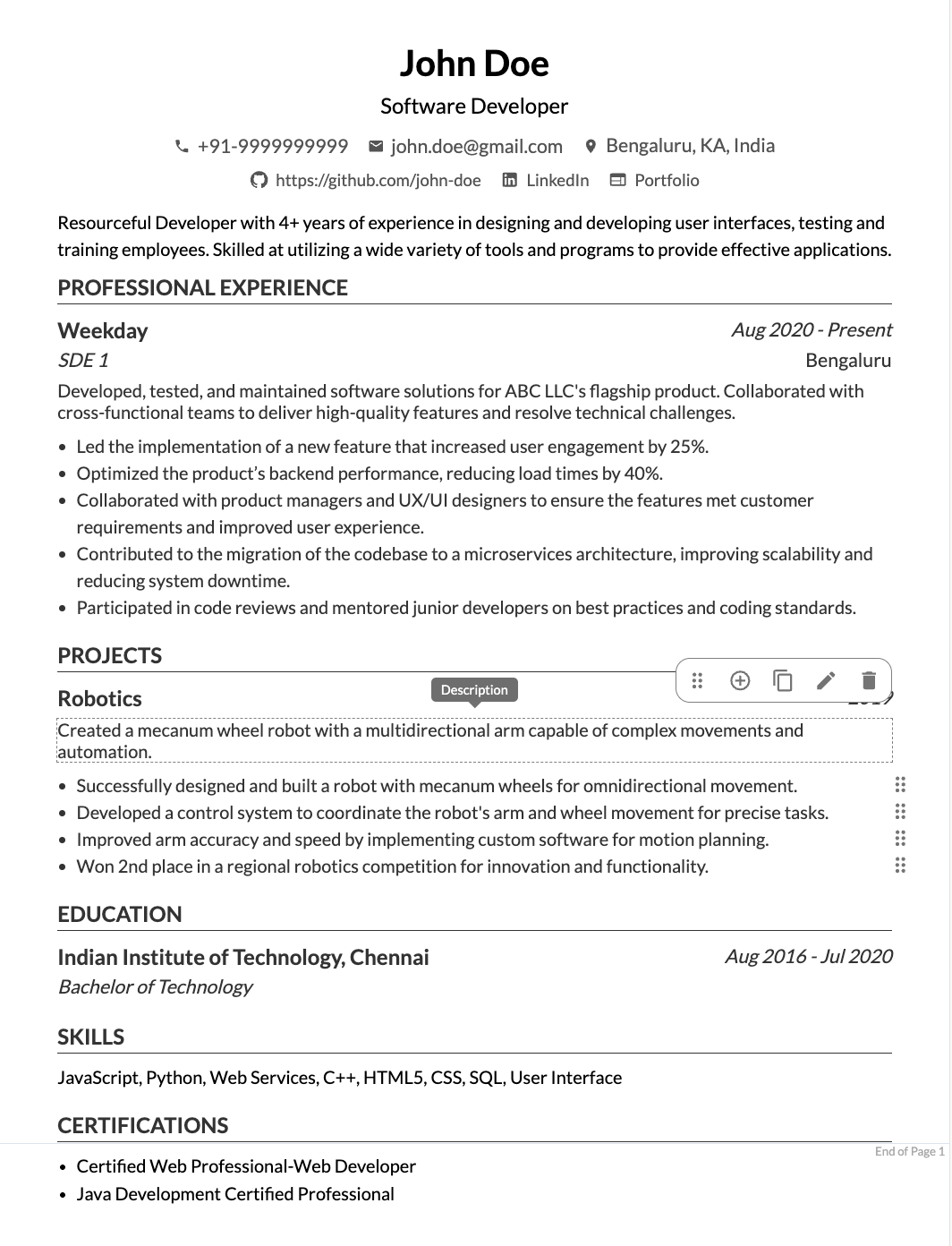
Who it works for: Students, researchers, and entry-level academics.
This template is built for clarity. Sections are clearly labeled so your education, publications, and academic achievements get attention. This is especially useful for resumes in fields like data science, research, or education where academia credentials matter more.
Tip: Include relevant coursework and awards right below your education to show depth even if work experience is limited.
3. Graphic Template - Creative With Flair

Who it’s for: Designers, marketers, creative professionals.
Think of this template as a balance between style and professionalism. It has room for icons, subtle visuals, or even logos (like certifications), making it ideal for creative portfolios or applications where first impression counts visually.
Pro tip: Use sparing color accents and readable fonts. You want recruiters to enjoy looking at your resume without feeling overwhelmed.
4. Colorful Template - Stand Out But Strategically

This template is like the bold cousin of graphic templates. It uses color to guide the eye, which can be great for industries that appreciate creativity - think media, communications, or startups.
How to use it well
- Stick to 1–2 accent colors to avoid clutter.
- Make sure text is easy to read - avoid neon or flashy contrasts.
Make Your Template Work Even Better
Templates don’t write themselves. Here are practical ways to use them so your resume gets read:
Write for People and Systems
Most companies use ATS (applicant tracking systems) that scan resumes before a human ever sees them. Choose a clean template with clear headings so ATS can easily parse your resume.
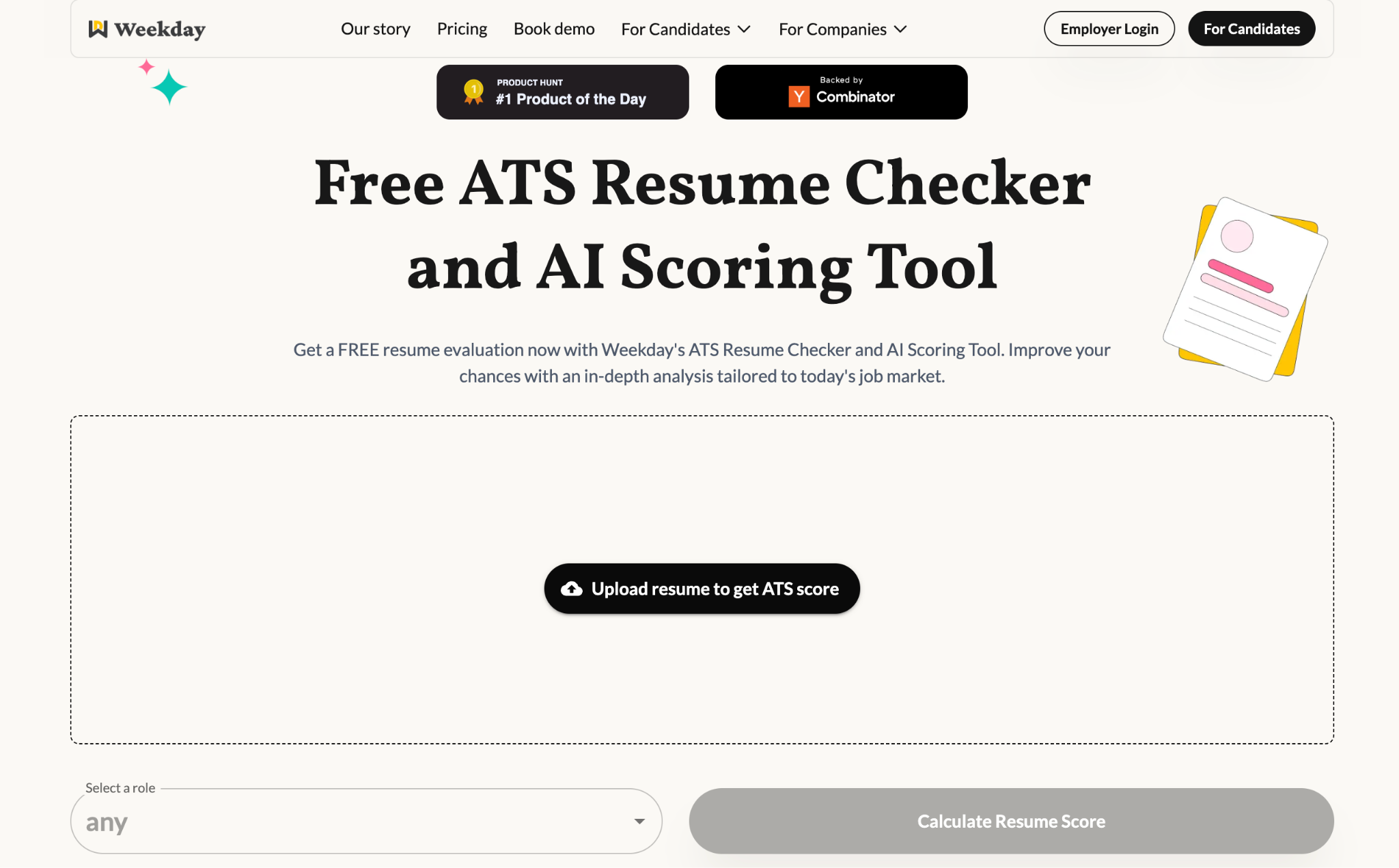
After drafting your resume, it helps to check how it performs against real job descriptions and ATS filters:
https://www.weekday.works/resume-checker-and-scoring-tool
Word Choice Matters
Recruiters love measurable achievements more than vague responsibilities. Replace “worked on social media campaigns” with “boosted social engagement by 40%.” Numbers tell stories.
Keep It Short and Focused
One page is ideal for early or mid-career professionals. If you’re more experienced, two pages are fine - but make sure every line earns its place.
Tailor for Every Job
A template helps save time, but the content should change for each role. Use keywords from the job description in your resume. This will increase your chance of getting past ATS and speaking directly to what that company wants.
Once your resume is ready, apply selectively instead of sending it everywhere:
https://jobs.weekday.works/?jobsTab=search

Weekday’s resume templates are not just about looks. They are about ease, clarity, and helping you tell your professional story in a way that works with modern hiring practices. They save you time, help you stay organized, and make sure what matters most gets noticed - whether it’s your first internship or decade of experience.