.svg)
With over 1.2 billion members, LinkedIn is the world’s go-to platform for professional networking. But actually reaching someone beyond a connection request can feel impossible.
If you’ve ever wished you could just pick up the phone and call a prospect or candidate, you’re in the right place. We know exactly why you’re here, and we’re ready to help.
In this guide, you’ll discover the smartest ways to search for LinkedIn phone numbers and finally turn those digital connections into real conversations.
The Fastest Way: Find Phone Numbers On LinkedIn Instantly With Weekday
Manually searching for phone numbers on LinkedIn can be time-consuming and often yields limited results.
If you want to streamline your outreach and connect directly with prospects, Weekday is the fastest and most reliable solution. Instantly find LinkedIn phone numbers, including personal mobile and WhatsApp numbers, with just a few clicks.
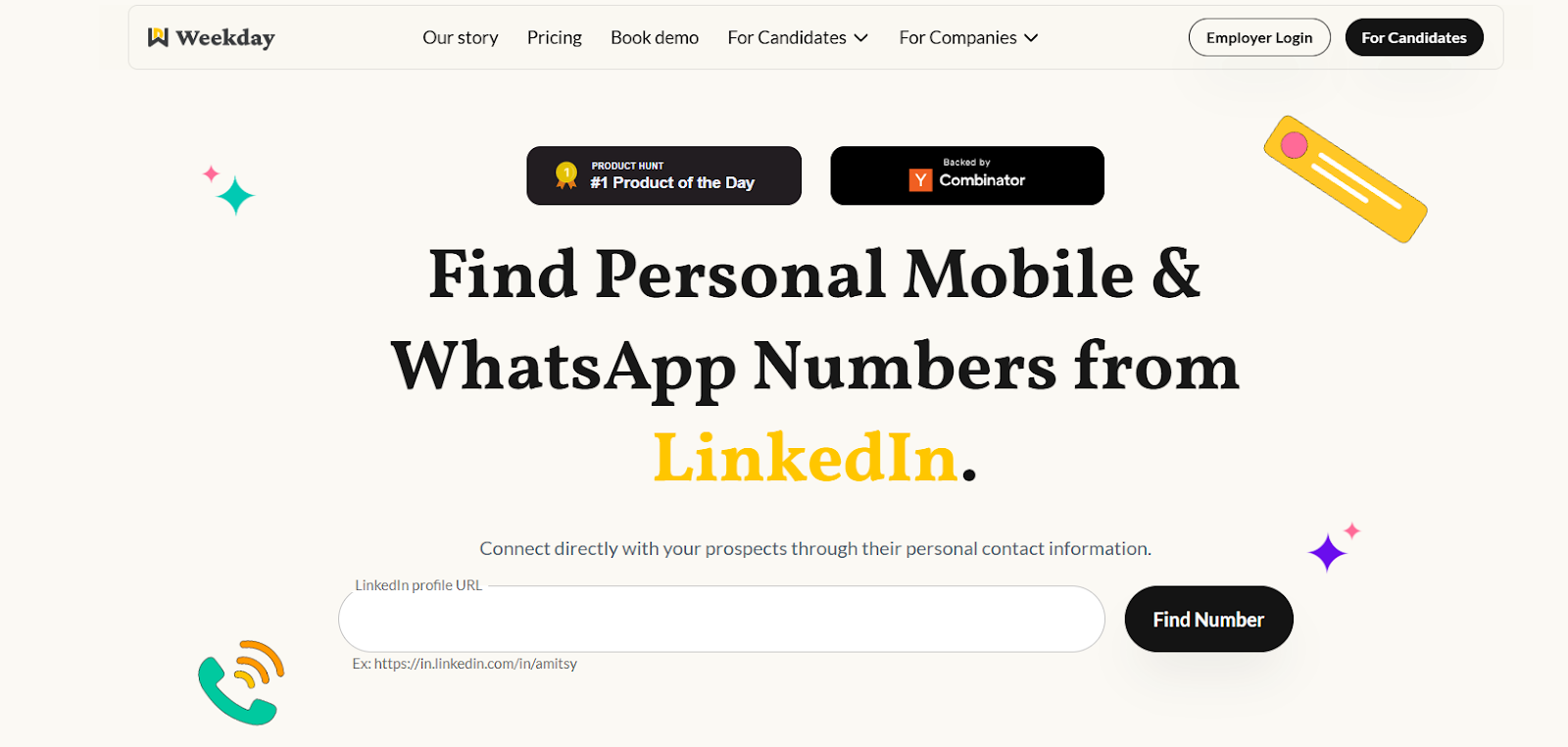
Weekday's powerful phone finder tool is designed to give you access to verified contact details from LinkedIn profiles quickly, with 80% accuracy. Here's how you can easily extract phone numbers from LinkedIn in just a few simple steps:
- Go to Weekday’s Phone Finder.
- Enter the LinkedIn profile URL you want to search.
- Instantly receive the verified phone number and start your outreach.
Also Read: How to Search for Someone's Email Address on LinkedIn
Why Choose Weekday To Find Phone Number On LinkedIn?
- 80% Accuracy: Weekday’s tool boasts an impressive 80% accuracy rate, so you can trust the phone numbers you retrieve are reliable and current.
- Speed and Efficiency: Unlike manual searching, Weekday provides near-instant results, saving you valuable time on outreach.
- Compliance and Security: Weekday adheres to strict privacy regulations, ensuring that your use of the contact information is both legal and secure.
- Versatile Contact Details: Not only can you get phone numbers, but you can also unlock WhatsApp numbers for even more personalized outreach.
Manual Methods to Find Phone Numbers on LinkedIn
Finding phone numbers on LinkedIn manually involves a bit of digging. It’s important to note that LinkedIn’s platform is designed to protect user privacy, meaning that not all phone numbers will be easily accessible. That said, there are a few places you can check that might reveal the contact details you're looking for.
a. Check the “Contact Info” Section
One of the simplest ways to look for a phone number on LinkedIn is by checking the user’s “Contact Info” section.
This area is located near the top of their profile and is designed to display various contact details the user has chosen to share.
How to check:
- Visit the LinkedIn profile of your target contact.
- Click on the “Contact Info” button (usually near their profile photo and headline).
- Review the details listed, this may include a phone number, email address, website, or other links.
Keep in mind:
- Phone numbers are only visible if the user has added them and set them to be shared.
- Most users restrict this information to first-degree connections.
- It’s common to find this section empty or with only an email address or website.
- While this method is quick and doesn’t require any extra tools, its effectiveness is limited.
b. Send a Connection Request
If you can’t see a phone number in the “Contact Info” section as a non-connection, sending a connection request is the next logical step. Many LinkedIn users share more contact details, including their phone number, exclusively with their first-degree connections.
How to proceed:
- Click the “Connect” button on the person’s profile.
- Add a personalized note to increase the chances of your request being accepted.
- Once your connection request is accepted, revisit their profile and check the “Contact Info” section again for any newly visible details.
Things to consider:
- There’s no guarantee your request will be accepted, especially if you don’t have a prior relationship.
- Even after connecting, the user might not have provided their phone number.
- This process can be slow if you need to reach out to multiple people.
c. Export Your LinkedIn Connections’ Data
Another manual method for finding phone numbers on LinkedIn is to export your connections’ data directly from LinkedIn. This approach allows you to download a CSV file containing the contact information that your first-degree connections have chosen to share.
How to do it:
- Go to your LinkedIn account settings.
- Navigate to the “Data Privacy” or “Data Export” section.
- Select the option to export your data, specifically choosing “Connections.”
- Request the archive and wait for LinkedIn to email you a download link.
- Download the CSV file and review the contact details, including any phone numbers provided.
What to keep in mind:
- This method only works for your first-degree connections.
- Phone numbers will only appear if your connections have added them and allowed them to be shared.
- The exported data often contains limited or outdated information, as most users do not include their phone numbers.
d. Search for Linked Websites or Social Profiles
Sometimes, LinkedIn users link to their personal websites, company pages, or other social media profiles in their “Contact Info” section or profile summary. These external links can occasionally lead you to additional contact details, including phone numbers.
How to try this method:
- Visit the LinkedIn profile and check the “Contact Info” section for any website or social media links.
- Click through to these external sites, such as a personal blog, portfolio, or company website.
- Look for a “Contact” or “About” page, where phone numbers are sometimes listed.
Keep in mind:
- Not all users provide external links, and even fewer share their phone number publicly on those sites.
- This process can be time-consuming, especially if you’re searching for multiple contacts.
- You may encounter outdated or generic contact information rather than direct personal numbers.
- Exploring linked websites and social profiles can occasionally help you uncover a phone number, but it’s often hit-or-miss and requires extra effort for each profile you research.
Also Read: How to Activate LinkedIn Premium for Free: Proven Methods That Really Work
Conclusion
Reaching out to prospects or candidates on LinkedIn can be a challenge when you’re limited to messages and connection requests.
But with the right approach, finding phone numbers can turn those connections into real conversations.
If you want to simplify the process and save time, Weekday is here to help.
With its high accuracy and ease of use, Weekday makes finding phone numbers and WhatsApp contacts from LinkedIn profiles effortless, so you can focus on building the relationships that matter.
Also Read: Using LinkedIn to Source Exceptional Candidates in Easy Steps
FAQs
1. Is it legal to find phone numbers on LinkedIn?
Yes, it is legal to find phone numbers on LinkedIn as long as you comply with LinkedIn's terms of service and relevant data privacy regulations, such as GDPR. Always use the contact information for legitimate business purposes and ensure you're respecting privacy.
2. How accurate are the phone numbers found on LinkedIn?
The accuracy of phone numbers on LinkedIn can vary. While some users voluntarily provide accurate details in their profiles, others may not list phone numbers, or the listed number may be outdated. It's always a good practice to verify any information you find typically labeled on profiles, so you may need to cross-check through messaging.
4. How do I access phone numbers on LinkedIn profiles?
You can access phone numbers in the "Contact Info" section of a LinkedIn profile, but only if the user has shared this information publicly or with their first-degree connections. If it's hidden, you'll need to send a connection request or find alternative methods to reach out.
5. Can I find phone numbers from second-degree LinkedIn connections?
LinkedIn restricts access to contact info for second-degree connections unless the person has made their details publicly available. To access phone numbers from second-degree connections, you might need to send a connection request or rely on other data extraction methods.
6. What is the best tool to find phone numbers on LinkedIn?
The best tool to find phone numbers on LinkedIn is Weekday. Weekday simplifies the process by automatically extracting verified phone numbers and WhatsApp contacts from LinkedIn profiles. With a high accuracy rate and fast, reliable results, Weekday ensures that you can access the contact information you need without the hassle of manual searches. It’s designed to save time, increase the efficiency of your outreach, and ensure compliance with privacy regulations.
7. How can I extract phone numbers from LinkedIn efficiently?
To extract phone numbers efficiently, consider using tools that automate the process, such as LinkedIn’s data export feature or third-party solutions that streamline data collection. Manual methods, such as checking the Contact Info section, can also work but are time-consuming.
8. Are there any privacy concerns when searching for phone numbers on LinkedIn?
Yes, privacy is an important consideration. LinkedIn users have the option to control who sees their contact details. It’s essential to respect privacy settings and ensure that any outreach follows ethical practices and complies with privacy laws such as GDPR.
9. Can I export phone numbers from LinkedIn?
LinkedIn allows users to export their connections, but this will typically not include phone numbers unless they have been shared by the connection in their profile or shared through a direct conversation. Some third-party tools offer data extraction with more detailed contact info.
10. How do I approach someone after finding their phone number on LinkedIn?
Once you have a contact's phone number, approach them with a respectful and personalized message. It’s essential to keep your outreach professional and provide value upfront. Whether it’s for sales, recruitment, or networking, always be polite and transparent about your intentions.
11. What should I do if I can't find a phone number on a LinkedIn profile?
If a phone number isn’t listed on a LinkedIn profile, consider reaching out via LinkedIn messages or InMail to request the contact details. Alternatively, you can explore other methods like using LinkedIn’s data export feature, checking other social profiles, or finding the person through other professional directories.
12. Are phone numbers on LinkedIn always up to date?
Not necessarily. LinkedIn profiles are maintained by individuals, and the information may not always be up to date. People may change their phone numbers or not update their LinkedIn profiles frequently. Always verify the number before using it for outreach.