.svg)
%20(1).png)
Most job seekers don’t miss out because they lack experience—they miss out because their resume doesn’t show it clearly, or worse, it never even reaches the right person.
That’s partly because writing a resume is harder than it looks. Choosing the right format, deciding what to keep or cut, tailoring it to each role—it can feel like a job in itself: time-consuming, repetitive, and easy to get wrong.
AI-powered resume builders are transforming how candidates approach this process. They take the guesswork out of writing, help structure your story effectively, and generate polished, recruiter-ready resumes in minutes.
In this guide, we’ll walk you through exactly how to build your resume with AI—step by step—while also showing you how to use tools like Weekday’s free AI Resume Builder to stand out in today’s competitive job market.
TL;DR – Key Takeaways
- AI resume builders save time by auto-filling information from your LinkedIn or existing resume.
- Content quality improves with AI-suggested phrasing, quantifiable achievements, and clean formatting.
- ATS optimization is built in, ensuring your resume passes technical filters used by most recruiters.
- Customization matters—one resume doesn’t fit all. Tailor different versions for different roles with ease.
- Weekday’s AI Resume Builder is a free tool that helps Indian and global candidates build, score, and customize resumes quickly.
- Your work doesn’t end with the resume—strategic follow-ups, channel selection, and resume versioning are just as important.
Why Use AI to Build Your Resume?
If you’ve ever stared at a blank document wondering where to begin, you’re not alone. Crafting a high-quality resume is more than just listing your work history—it’s about structuring your story in a way that makes sense to recruiters and machines (ATS systems).
Here’s how AI simplifies and strengthens the process:
1. Saves Time
An AI resume builder can pre-fill your resume by pulling data from your LinkedIn profile or an old resume. What might take hours manually can now be done in under 20 minutes.
2. Improves Content Quality
AI tools recommend bullet points, action verbs, and job-specific phrasing that showcase your experience in a more compelling way. Instead of vague summaries, you get high-impact content.
3. Optimizes for ATS
Most companies today use Applicant Tracking Systems (ATS) to scan resumes before a human even sees them. If your resume isn’t structured correctly or lacks the right keywords, it might never make it past the software.
AI resume builders, especially ones like Weekday, are trained to optimize for ATS readability—using standard headings, clean formatting, and role-specific keywords.
4. Customizable Layouts
You’re not locked into one template. Choose layouts that fit your background—whether you’re applying for academic, technical, creative, or business roles.
5. Zero Design Skills Needed
With AI handling formatting and consistency, your resume looks clean and professional—without any need for design tools or advanced software.
Here’s how AI compares to traditional resume-building:
Step-by-Step: How to Build a Resume with AI
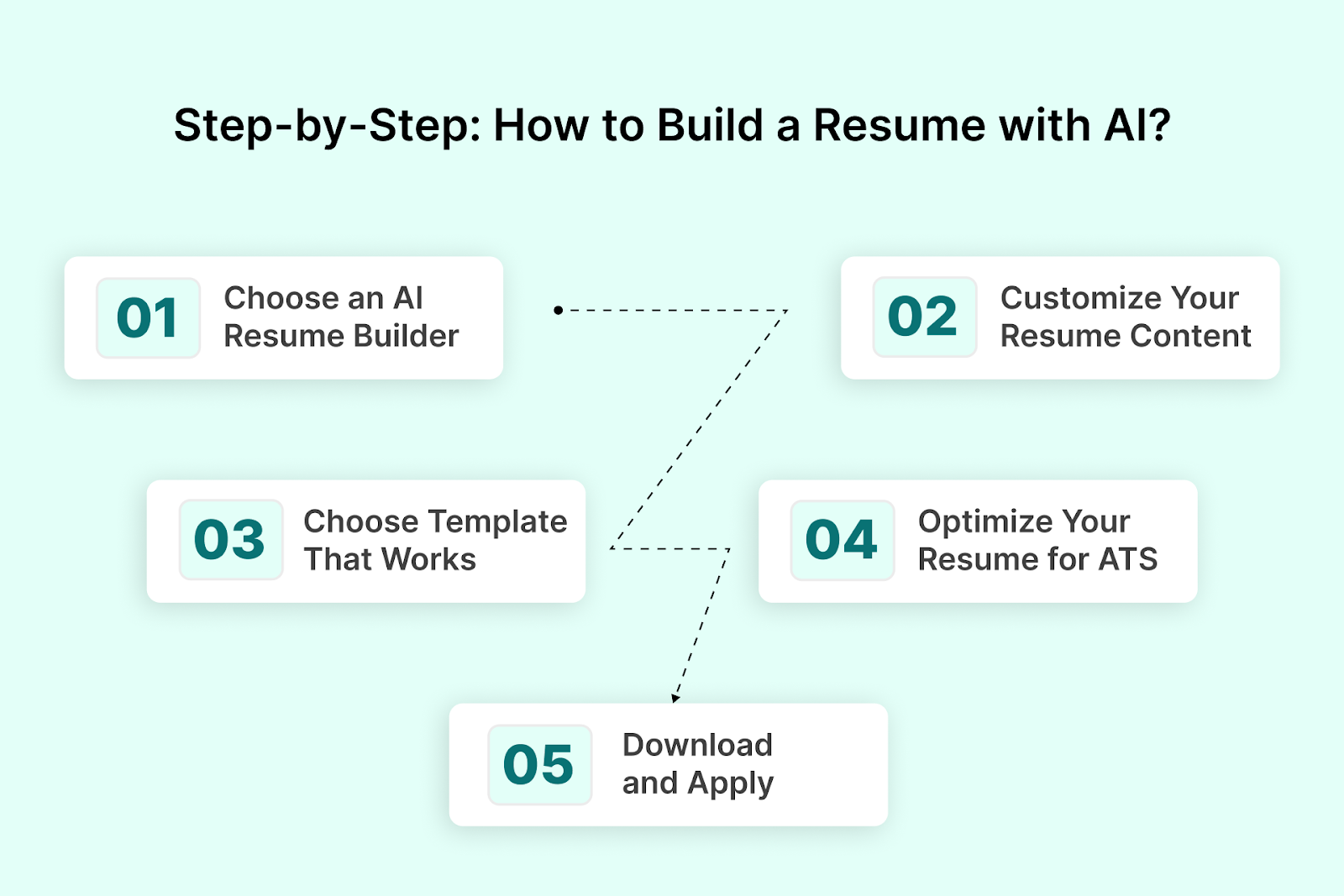
AI can’t tell your life story for you—but it can build the best possible first draft, tailored for the roles you want. Here’s how to use it effectively.
Step 1: Choose an AI Resume Builder That Fits Your Needs
There are plenty of AI-based tools on the market, but most either put a paywall behind basic features or aren’t optimized for non-Western job markets. If you're applying to tech roles or startups in India, Weekday’s AI Resume Builder is built specifically for that context—and it’s completely free.
You can start by:
- Entering your LinkedIn URL (for auto-import of data), or
- Uploading an existing resume (to use as a baseline)
This jumpstarts the process and avoids starting from scratch.
Also Read: 10 Free Resume Builders to Use in 2025
Step 2: Customize Your Resume Content
Once your data is pulled in, the AI structures it into a clean, professional format. You can now:
- Review and edit your summary, work experience, and skills
- Add new projects, certifications, or languages
- Remove anything outdated or irrelevant
AI also suggests improvements—like quantifying achievements (“Improved system uptime by 40%”) or replacing generic phrases with sharper alternatives.
Tip: Don’t settle for what’s auto-generated. Tweak the language to match your tone, your accomplishments, and the specific job you’re targeting.
Step 3: Choose a Template That Works for Your Role
Weekday offers multiple templates suited to different needs:
- Compact – Best for experienced professionals or technical roles
- Academic – Ideal for students or research-heavy backgrounds
- Graphic – Adds visual appeal (logos, subtle color usage)
- Colorful – Balanced and engaging without being over-designed
The formatting is handled automatically, so you can focus on content.
Step 4: Optimize Your Resume for ATS (Using AI Feedback)
Even a well-written resume can get filtered out if it’s not ATS-friendly.
Weekday includes an AI-powered Resume Scorer, which checks for:
- Proper section headings like Work Experience, Skills, etc.
- Readable fonts and layout simplicity
- Inclusion of role-specific keywords
- Balanced formatting (no tables or images that break ATS parsing)
You'll receive a score and suggestions—for example:
“Change ‘Career Highlights’ to ‘Work Experience’ for better ATS compatibility.”
“Add more quantifiable results under your last role.”
Use this feedback to revise and re-score your resume until it hits the 80–100% ATS threshold.
Also Read: What to Include in the Additional Information Section of Your Resume
Step 5: Download and Apply
Once your resume is optimized:
- Download it as PDF or .docx
- Revisit and update any time—for free
- Use different versions for different job types
You’re now ready to start applying with confidence—backed by a clean, AI-optimized resume that works for both ATS systems and recruiters.
Best AI Resume Builders in 2025
With the rising popularity of AI tools, there’s no shortage of platforms that promise to simplify resume writing. But not all are built the same—some are gated behind paywalls, others lack flexibility, and many aren’t optimized for ATS systems or the Indian job market.
Here’s a quick breakdown of top AI resume builders in 2025—and how Weekday stands out.
1. Weekday Resume Builder
- Free to use, no hidden costs
- Import your LinkedIn or existing resume
- Built-in ATS checker and scoring tool
- Designed for both early-career and experienced roles
- Includes India-specific templates and local context for recruiters
- Offers real-time guidance and AI feedback
Ideal For: Indian tech professionals, students, and startup applicants who need a quick, optimized resume tailored to local expectations.
2. Kickresume
- Offers attractive templates and AI-generated content
- Good for personal branding with portfolio support
- Paid plans unlock advanced features
- Not specifically tailored for ATS or Indian job market
Best For: Creative professionals or international applicants
3. Zety
- Well-known for ease of use and professional layouts
- Provides AI suggestions and grammar checks
- Limited free options; download requires payment
- Focused more on U.S. job market
Best For: Traditional, polished resumes for global roles
4. Rezi
- Built with ATS optimization at its core
- Allows you to paste job descriptions for keyword matching
- Offers a strong free tier
- Slightly more technical, with a steeper learning curve
Best For: Professionals applying to enterprise-level roles, especially in tech
5. Resume Worded
- Strong on feedback and score-based evaluation
- Allows LinkedIn profile reviews in addition to resumes
- Less design-focused; better as an analysis tool
- Paid plans for full features
Best For: Iterating and improving existing resumes, rather than building from scratch
Summary Table
Common Mistakes to Avoid When Using AI to Build Your Resume
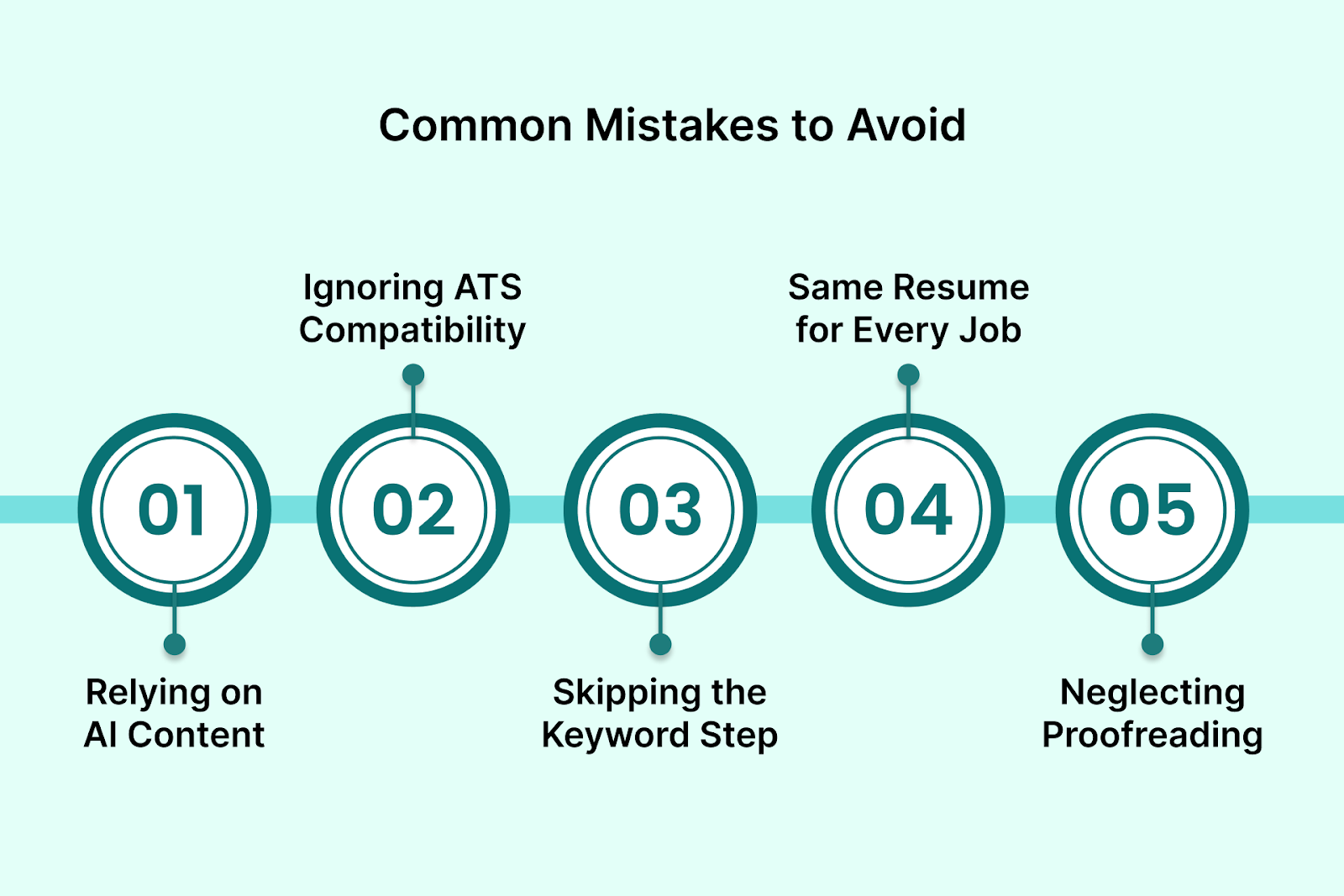
AI resume builders are powerful, but like any tool, the quality of the outcome depends on how you use it. Here are the most common pitfalls candidates run into—and how to avoid them.
1. Relying Entirely on AI-Generated Content
AI can help structure and draft your resume, but blindly using its suggestions without reviewing them often results in vague or generic language.
Avoid this by:
- Personalizing bullet points with specific achievements
- Rewriting sections that sound too templated or off-tone
- Making sure your resume still sounds like you, not a machine
2. Ignoring ATS Compatibility
Many users focus only on visual design—colorful layouts, fancy icons, multiple columns. But most ATS systems can’t parse those elements correctly.
Avoid this by:
- Choosing simple, clean templates that stick to standard fonts and headings
- Avoiding the use of tables, graphics, or icons
- Verifying your resume using an ATS checker like Weekday’s Resume Scorer
3. Skipping the Keyword Step
Even the most polished resume will get filtered out if it doesn’t include relevant keywords from the job description. Many candidates assume AI tools handle this by default—but not all do it well.
Avoid this by:
- Reading the job description carefully
- Adding industry-specific and role-specific terms naturally into your resume
- Using Weekday’s resume scoring feature to check for missing keywords
Also Read: Key Elements to Include on Your Resume in 2025: Tips and Examples
4. Using the Same Resume for Every Job
AI makes it easy to build a strong base—but you still need to tailor your resume for different roles. Using the same version for every application can limit your chances.
Avoid this by:
- Creating variations for different types of roles
- Adjusting the summary, keywords, and order of experiences based on the job
- Leveraging AI to quickly tweak language and tone as needed
5. Neglecting Manual Proofreading
Grammar and formatting tools are helpful, but they’re not perfect. Typos, awkward phrasing, or misaligned sections can still slip through.
Avoid this by:
- Taking a short break before reviewing the final version
- Reading your resume out loud to catch flow issues
- Asking a peer or mentor for a second set of eyes
Tips to Maximize Results After Building Your Resume with AI
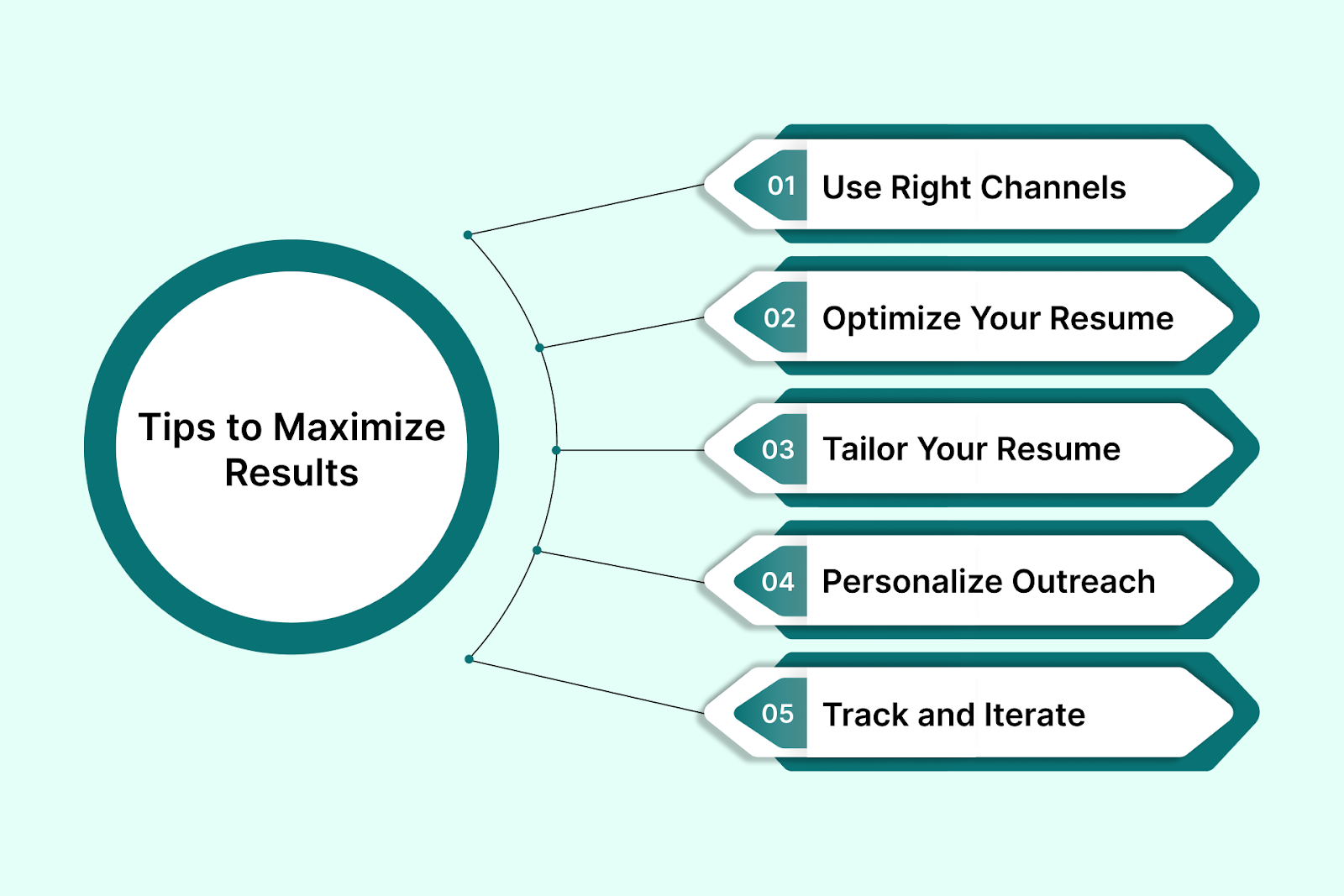
Building a polished AI-generated resume is just the first step. Here’s how to ensure it actually leads to interviews and offers:
1. Use the Right Channels to Apply
Applying via generic career portals works—but on its own often delivers minimal results. To increase visibility:
- Reach out directly to hiring managers or HR on LinkedIn or via email.
- Use Weekday’s referral network (“Circles”) to find warm introductions.
- Apply through platforms that include follow-up support—such as email, WhatsApp, or phone reminders—for higher engagement rates.
2. Optimize Your Resume with Real-Time Feedback
Before submitting, run your resume through an ATS checker. Weekday’s built-in AI Resume Scorer evaluates:
- Readability and section headings
- Keyword alignment with job descriptions
- Formatting compatibility (no tables or hard-to-parse layouts)
Its actionable feedback can help improve your resume’s match score—from formatting tweaks to keyword insertion.
Also Read: Should You Bold Keywords in Your Resume? A Quick Guide
3. Tailor Your Resume for Each Role
Even strong resumes fall flat if they’re misaligned with the role you’re applying to. To improve fit:
- Emphasize projects or skills that match the job description.
- Adjust your summary to reflect the company’s culture or mission.
- Reorder sections (e.g., projects before work experience) depending on relevance.
Because Weekday’s builder lets you create and save multiple versions easily, iterating is quick and efficient.
Also Read: When and How to Include GPA on Your Resume
4. Personalize Outreach and Follow Up
Once you apply, don’t just wait:
- Send a brief, role-specific follow-up email to the recruiter or hiring manager.
- If applicable, send a message via LinkedIn referencing the application.
- In India or similar contexts, WhatsApp follow-ups can increase visibility (done professionally, of course).
If using Weekday, you can automate multi-channel reminders without manual tracking.
5. Track and Iterate Based on Feedback
Maintain a simple tracker to monitor:
- Where you’ve applied
- Who responded
- Which resume version you used
If you receive rejections or no response over time, revisit your resume and outreach approach. Small changes—like rewording a bullet or shifting what’s featured—can make a substantial difference
Conclusion
Building a resume with AI can save you time, reduce friction, and help you present your experience in a professional and structured format. But the resume is just the starting point. To actually land interviews, you need more than just keywords and clean design—you need the right tools, channels, and follow-through.
That’s where Weekday comes in.
Whether you're starting from scratch or optimizing an old resume, Weekday’s free AI Resume Builder helps you generate a tailored, ATS-friendly resume in minutes. Once you’re done, you can evaluate it using the ATS Resume Scorer, apply to curated job roles, and even get follow-up support across email, WhatsApp, and phone.
If you’re serious about taking the next step in your career, don’t stop at the resume.
Start building. Start applying. And let Weekday do the heavy lifting.
Try Weekday’s AI Resume Builder for free
Frequently Asked Questions (FAQ)
1. Can AI really build a good resume?
Yes—when used correctly. AI resume builders like Weekday help you structure, format, and write your resume using real-time suggestions and templates that are optimized for both recruiters and ATS systems. They’re not perfect, but they significantly reduce the time and effort involved in getting a strong first draft.
2. Is it okay to use AI-generated content directly in my resume?
It’s a good starting point, but you should always review and customize the content. AI tools often use generic phrasing that might not fully capture your unique experience. Add real numbers, personal accomplishments, and specific context to make your resume stand out.
3. Will an AI-built resume pass through ATS systems?
It depends on how the resume is formatted and structured. Tools like Weekday are built to optimize resumes for ATS readability—using standard section titles, clean formatting, and relevant keywords. You can also use ATS scorers to test how your resume performs before applying.
4. What kind of job seekers benefit most from AI resume builders?
Anyone—from students to experienced professionals—can benefit. They're especially helpful if:
- You’re building your first resume
- You’re switching industries and don’t know how to position your experience
- You’re short on time and need a high-quality draft quickly
- You want to optimize for roles in tech, startups, or highly competitive sectors
5. Is Weekday’s resume builder really free?
Yes. Weekday’s AI Resume Builder is completely free to use. There are no hidden charges to build, edit, or download your resume.
6. Can I update my AI-built resume later?
Absolutely. Weekday lets you return to your resume anytime to make edits, tweak your content, or create new versions for different roles. It’s designed to support multiple iterations as your career evolves.