Last updated: 12 November 2026
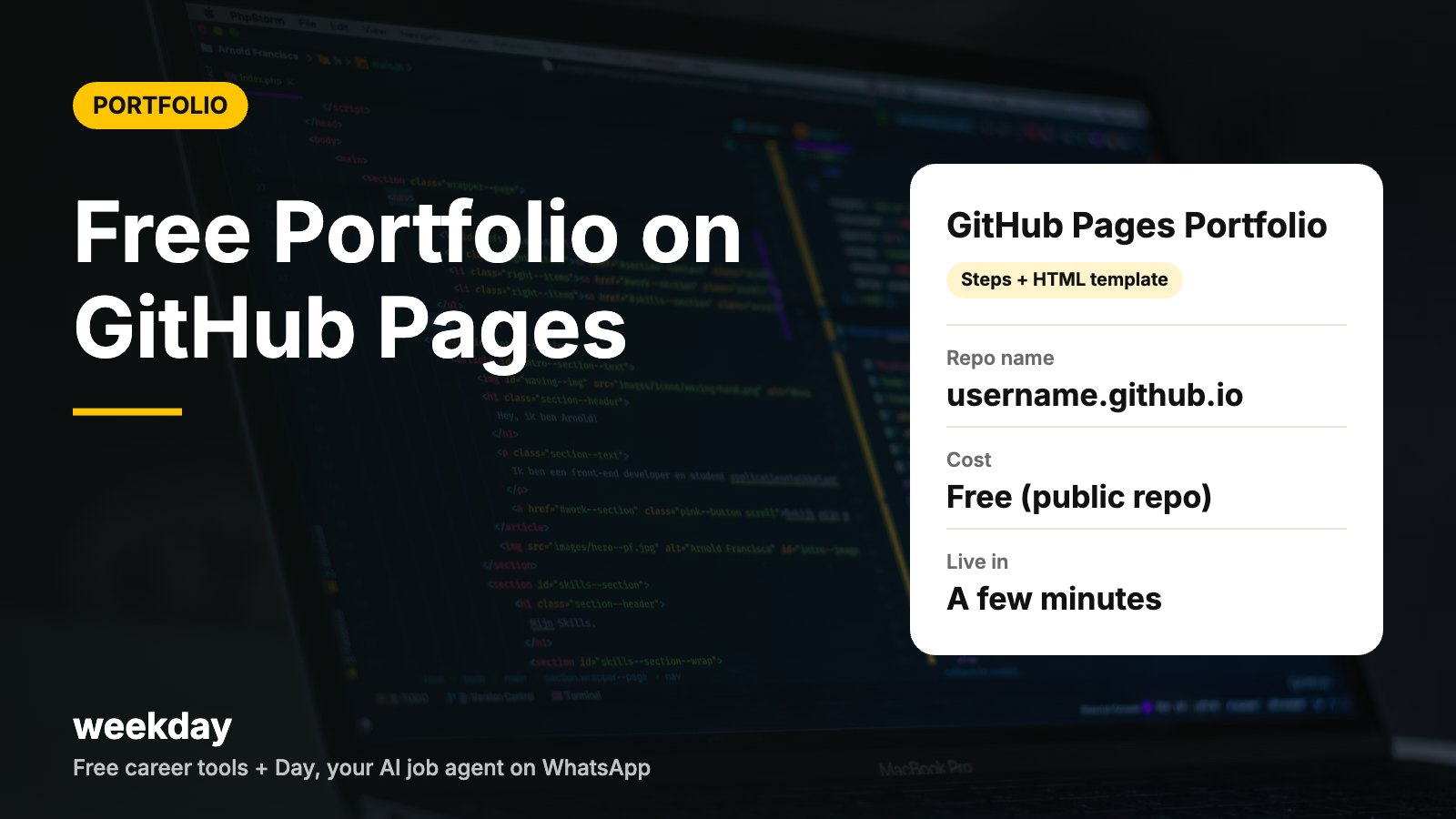
- What GitHub Pages is and what it costs
- 7 steps from zero to a live portfolio
- A full minimal HTML template to copy
- Jekyll themes: the no-code-ish option
- Custom domain basics (DNS records table)
- Troubleshooting: 8 common problems and fixes
- Bonus: a GitHub profile README that sends visitors to your portfolio
- Free with a GitHub account for public repositories; private-repo Pages need a paid plan.
- Each account gets one user site at username.github.io, plus project sites at username.github.io/repo-name.
- Published sites can be up to 1 GB, with a soft bandwidth limit of 100 GB per month.
- HTTPS is available for github.io sites and for custom domains once DNS is set up.
- For an apex custom domain, GitHub's A records point to 185.199.108.153, .109.153, .110.153 and .111.153.
Sources: GitHub Docs: About GitHub Pages, Usage limits, Managing a custom domain (checked November 2026).
Send your resume to Day, Weekday's free AI agent on WhatsApp. It turns it into a cleaner, website-style portfolio you can show recruiters, finds jobs that fit, and applies only when you say yes.
Say hi to Day on WhatsAppHow Day works →What is GitHub Pages, and why use it for a portfolio?
GitHub Pages is a free hosting service from GitHub. It takes the files in a repository (HTML, CSS, JavaScript, images) and serves them as a website. There's no server to manage and no monthly bill.
For developers it's the obvious choice: the same place that holds your code also hosts your portfolio, and recruiters can jump from a project card straight to the repository. For non-developers it still works well, because you can edit files right in the browser.
| Site type | Repository name | URL | Use it for |
|---|---|---|---|
| User site | username.github.io | https://username.github.io | Your main portfolio (one per account) |
| Project site | any name, e.g. weather-app | https://username.github.io/weather-app | A live demo for each project |
| Custom domain | either of the above | https://yourname.in | A professional, memorable address |
Step-by-step: your portfolio live in 7 steps
Step 1: Create or tidy your GitHub account
Sign up at github.com if you haven't. Your username becomes part of your URL, so pick something professional, close to your real name (for example riya-sharma, not coolcoder99). You can rename later, but old links will break.
Step 2: Create the repository
Click New repository. Name it exactly username.github.io, replacing username with your GitHub username, all lowercase. Set it to Public and tick Add a README. Click Create repository.
Step 3: Add index.html
In the repo, click Add file → Create new file. Name it index.html, paste the template from the next section, edit your details and click Commit changes. The file must be in the root of the repo, not inside a folder.
Step 4: Turn on GitHub Pages
Go to Settings → Pages. Under Build and deployment, choose Deploy from a branch, pick main and the / (root) folder, then save. For a username.github.io repo this is often already set.
Step 5: Check the live site
Wait a few minutes, then open https://username.github.io. If you see a 404, check the Actions tab for a running or failed build, and see the troubleshooting table below.
Step 6: Add your resume and images
Upload resume.pdf and an images folder through Add file → Upload files. Keep file names lowercase with no spaces (expense-tracker.png), because links are case-sensitive.
Step 7: Share it everywhere
Add the link to your resume header, LinkedIn Featured section, GitHub bio and email signature. Our guide on sharing your LinkedIn profile link shows where links get the most clicks.
A full minimal HTML portfolio template
This is a complete, single-file portfolio. It's mobile-friendly, loads fast and has no dependencies. Replace everything in the cards with your own projects and numbers.
index.html: copy, paste, edit
<!DOCTYPE html>
<html lang="en">
<head>
  <meta charset="UTF-8">
  <meta name="viewport" content="width=device-width, initial-scale=1.0">
  <title>Your Name | Frontend Developer</title>
  <meta name="description" content="Frontend developer in Pune. React, TypeScript, accessibility.">
  <style>
    body { font-family: system-ui, sans-serif; max-width: 760px; margin: 0 auto; padding: 24px 16px; line-height: 1.6; color: #1a1a1a; }
    h1 { margin-bottom: 4px; }
    .tag { color: #555; margin-top: 0; }
    .card { border: 1px solid #e5e5e5; border-radius: 12px; padding: 16px; margin: 16px 0; }
    a { color: #0b6e4f; }
    .btn { display: inline-block; background: #111; color: #fff; padding: 10px 16px; border-radius: 999px; text-decoration: none; }
  </style>
</head>
<body>
  <header>
    <h1>Your Name</h1>
    <p class="tag">Frontend developer (React, TypeScript). Open to SDE-1 roles in Pune, Bengaluru or remote.</p>
    <a class="btn" href="resume.pdf">Download resume</a>
  </header>

  <section>
    <h2>Projects</h2>
    <div class="card">
      <h3>Expense tracker: 1,200 monthly users</h3>
      <p>Built with React and Firebase. Cut load time from 4.1s to 1.3s by lazy-loading charts.</p>
      <a href="https://example.com">Live</a> · <a href="https://github.com/username/expense-tracker">Code</a>
    </div>
    <div class="card">
      <h3>College fest site: 3,000 registrations</h3>
      <p>Static site with a Google Sheets form backend. Team of 3; I led the frontend.</p>
      <a href="https://github.com/username/fest-site">Code</a>
    </div>
  </section>

  <section>
    <h2>Skills</h2>
    <p>JavaScript, TypeScript, React, HTML, CSS, Git, REST APIs, Jest</p>
  </section>

  <section>
    <h2>Contact</h2>
    <p>Email: you@example.com · <a href="https://www.linkedin.com/in/your-handle">LinkedIn</a> · <a href="https://github.com/username">GitHub</a></p>
  </section>
</body>
</html>| Change this | To this | Tip |
|---|---|---|
| Your Name | Your full name | Same as on your resume |
| Tag line | Role + stack + where you want to work | Under 25 words |
| Project h3 | Project name + one number | "Expense tracker: 1,200 monthly users" |
| Project text | What you built and the result | 2 sentences max |
| Links | Your live demo and repo | Test each one after publishing |
| Colours | Change #0b6e4f and #111 | Keep strong contrast for readability |
For what to put in those project cards, see the developer portfolio guide, and for layout ideas browse our 30 portfolio website examples.
Themes: the low-code option with Jekyll
GitHub Pages has built-in support for Jekyll, a static site generator. Instead of writing HTML, you write Markdown files and pick a theme that handles the design.
- Supported themes: GitHub Pages supports a set of themes out of the box, including the default Jekyll theme, minima. Add a file named _config.yml with the line theme: minima.
- Remote themes: many open-source Jekyll themes on GitHub can be used with the remote_theme setting. Read each theme's README for setup.
- Fork a template: some developers publish portfolio templates you can fork. Check the licence and credit the author if asked.
- Plain HTML: if you just want one page, skip Jekyll and use the template above. It's simpler and easier to debug.
| Option | Effort | Best for | Watch-out |
|---|---|---|---|
| Plain HTML (template above) | Low | One-page portfolios | You edit HTML directly |
| Jekyll supported theme | Low–medium | Blog + portfolio | Limited design control |
| Remote or forked theme | Medium | Polished multi-page sites | Check licence and updates |
| Static site generator + Actions | High | Developers who want full control | More to maintain |
Custom domain basics
A custom domain (like riyasharma.in) looks more professional, but it's optional. Domain prices vary by registrar and extension, and renewal is often higher than the first year, so check current rates before buying.
- Buy a domain from any registrar.
- In your repo, go to Settings → Pages → Custom domain, enter the domain and save. GitHub adds a CNAME file to the repo.
- At your registrar, add the DNS records below.
- Wait for DNS to update (it can take from minutes up to a day or two), then tick Enforce HTTPS.
| Record type | Host / name | Value | Used for |
|---|---|---|---|
| A | @ | 185.199.108.153 | Apex domain (yourname.in) |
| A | @ | 185.199.109.153 | Apex domain |
| A | @ | 185.199.110.153 | Apex domain |
| A | @ | 185.199.111.153 | Apex domain |
| CNAME | www | username.github.io | www.yourname.in |
Always confirm the current values in GitHub's documentation at docs.github.com before editing DNS. GitHub also recommends verifying your domain in account settings to prevent takeovers.
Troubleshooting: 8 common problems
| Problem | Likely cause | Fix |
|---|---|---|
| 404 on username.github.io | Repo name doesn't match your username exactly | Rename the repo to username.github.io |
| 404 after adding files | index.html is inside a folder | Move it to the repo root |
| Changes not showing | Build still running or browser cache | Check the Actions tab; hard refresh |
| Images broken | Wrong path or case (Photo.PNG vs photo.png) | Match file names exactly; use lowercase |
| CSS not loading | Absolute path like /css/style.css on a project site | Use relative paths: css/style.css |
| Pages option missing | Private repo on a free plan | Make the repo public |
| "Not secure" on custom domain | HTTPS not enforced yet | Wait for the certificate, then tick Enforce HTTPS |
| Jekyll build failed | Error in _config.yml or a Markdown file | Open the failed run in Actions and read the error line |
Bonus: a GitHub profile README that points to your portfolio
Recruiters who find your GitHub see your profile page first. Create a public repository with the same name as your username (for example riya-sharma/riya-sharma) and add a README.md. Whatever you write there shows at the top of your profile.
README.md for your profile repo
# Hi, I'm Your Name

Frontend developer (React, TypeScript) in Pune. Open to SDE-1 roles.

- Portfolio: https://username.github.io
- Currently building: an offline-first notes app
- Ask me about: performance, accessibility, CSS layout

## Featured projects
- Expense tracker: React + Firebase, 1,200 monthly users
- College fest site: 3,000 registrations, static + Sheets backend

## Contact
you@example.com · LinkedIn: /in/your-handle
- Pin your 4–6 best repositories on your profile, with clear descriptions.
- Give every pinned repo a README with a screenshot, setup steps and a live link.
- Keep commit messages readable; recruiters do sometimes look.
Worked example: one weekend, start to finish
| Time | Task | Output |
|---|---|---|
| Saturday, 1 hour | Create account, repo, paste template | Live page at username.github.io |
| Saturday, 2 hours | Write 3 project cards with numbers | Real content, not placeholders |
| Sunday, 1 hour | Add resume.pdf, images, profile README | Complete portfolio |
| Sunday, 30 minutes | Test on phone, fix links, share on LinkedIn | Ready for applications |
About 4.5 hours in total. If that's more time than you have this week, turn your resume into a portfolio with Day instead, and come back to GitHub Pages later.
FAQs
Is GitHub Pages really free?
Yes, for public repositories on a free GitHub account. You only pay if you want Pages on private repos (paid plans) or a custom domain (paid to your registrar).
What should I name my GitHub Pages repository?
For your main portfolio, name it exactly username.github.io, using your GitHub username in lowercase.
How long does GitHub Pages take to go live?
Usually a few minutes after you enable Pages or push a change. Check the Actions tab if it takes longer.
Do I need to know coding to use GitHub Pages?
Basic HTML helps, but you can copy the template in this guide and edit text in the browser. Jekyll themes let you write in Markdown instead.
Can I use a custom domain with GitHub Pages?
Yes. Add the domain in Settings → Pages, set the A or CNAME records at your registrar, then enforce HTTPS.
Why is my GitHub Pages site showing 404?
Most often the repo name doesn't match your username, index.html isn't in the root, or the build hasn't finished.
Can I host a React app on GitHub Pages?
Yes, as a static build. Build the app and publish the output folder, often using GitHub Actions. Client-side routing may need extra setup.
Is a GitHub profile README the same as a portfolio?
No. The README is a short intro on your GitHub profile; your portfolio is a full site. Use the README to link to it.
Is a GitHub portfolio useful for non-developers?
It works for anyone, but non-developers may find Canva, Notion or Carrd quicker. Day on WhatsApp can also turn a resume into a website-style portfolio.