Last updated: 5 November 2026
- Step tables for Desktop, Android and iPhone
- How to make a clean custom URL (and the rules)
- Your LinkedIn QR code for events and interviews
- Where to put the link: resume, Naukri, email, WhatsApp
- Sample messages for recruiters, referrals and signatures
- What people see when they open it, and fixes when they can't
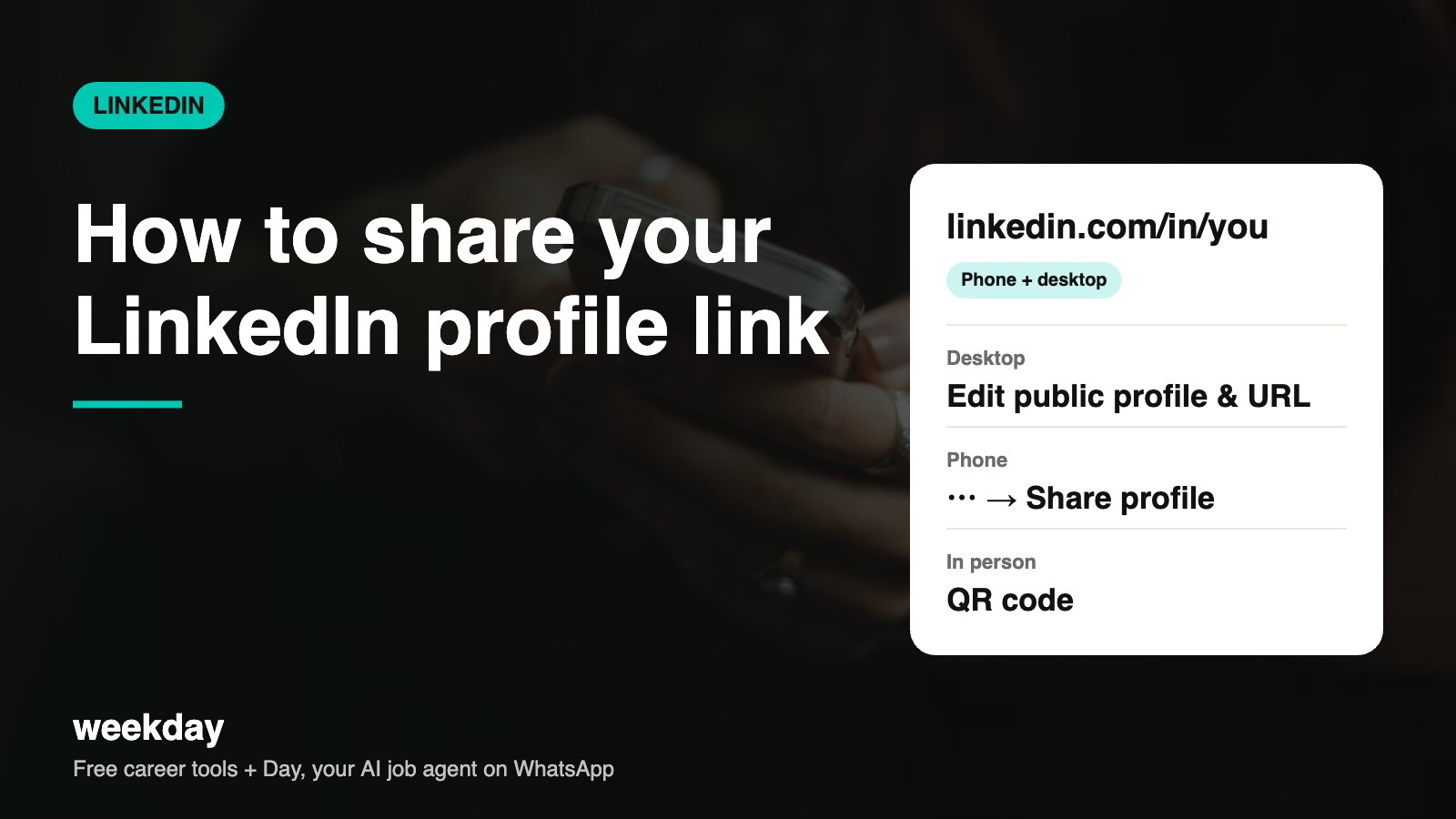
- Profile links follow the pattern linkedin.com/in/your-custom-url.
- A custom URL can be 3–100 characters; letters and numbers are safest, no spaces or special symbols.
- LinkedIn's help pages say you can change your custom URL up to 5 times in 180 days.
- Your headline (up to 220 characters) and photo show in the preview when you paste the link in WhatsApp or Slack.
- If Public profile visibility is off, people who aren't logged in hit a sign-in wall.
Sources: LinkedIn Help Center (custom URL, public profile settings), checked November 2026.
Day, Weekday's free AI job agent, gets your profile in front of matching jobs and applies when you say yes. On WhatsApp.
Say hi to Day on WhatsAppHow Day works →How to copy your profile link on Desktop
| Step | What to do |
|---|---|
| 1 | Log in at linkedin.com and click Me → View profile. |
| 2 | Click the address bar and copy the URL (Ctrl + C, or Cmd + C on Mac). |
| 3 | Or click Public profile & URL in the top-right panel of your profile. |
| 4 | Your public URL is shown under Edit your custom URL. Copy it from there. |
| 5 | Tip: delete anything after your name (like ?trk=... or /overlay/) before sharing. |
How to copy it on Android
| Step | What to do |
|---|---|
| 1 | Open the LinkedIn app and tap your profile photo → View profile. |
| 2 | Tap the ⋯ (More) button next to Open to / Add section. |
| 3 | Tap Share via… to open Android's share sheet (WhatsApp, Gmail, Telegram). |
| 4 | Or tap Copy link to profile, then long-press in any chat and paste. |
| 5 | To see the URL itself, tap Contact info on your profile; the link is listed there. |
How to copy it on iPhone
| Step | What to do |
|---|---|
| 1 | Open the app, tap your profile photo → View profile. |
| 2 | Tap ⋯ (More) beside the profile buttons. |
| 3 | Tap Share via… for the iOS share sheet (WhatsApp, Messages, Mail, AirDrop). |
| 4 | Or tap Copy link to profile and paste it anywhere. |
| 5 | AirDrop works well at events: share to a nearby iPhone in one tap. |
LinkedIn moves menu labels around now and then, and the Android and iPhone apps don't always update on the same day. If a label looks slightly different on your screen, look for the closest match.
Your LinkedIn QR code
At a campus drive, job fair or meetup, a QR code is faster than spelling your name. In the app, tap the search bar and then the QR code icon. You'll see two tabs: My code (show this) and Scan (scan someone else's). Screenshot your code and keep it in your photos, or print it on the back of a visiting card.
Make your link clean: the custom URL
A new account usually gets a link like linkedin.com/in/priya-sharma-8b3a91224. Long numbers look careless on a resume and are hard to type. Change it once:
| Step | Desktop | Android / iPhone |
|---|---|---|
| 1 | Profile → Public profile & URL (top right) | Profile → ⋯ → Settings → Visibility → Edit your public profile |
| 2 | Under Edit your custom URL, click the pencil | Tap Edit custom URL |
| 3 | Type your new URL and click Save | Type it and tap Save |
| Before | After | Why it's better |
|---|---|---|
| linkedin.com/in/priya-sharma-8b3a91224 | linkedin.com/in/priyasharma | Short, easy to say aloud |
| linkedin.com/in/rahul-v-2b71a0123 | linkedin.com/in/rahulvermadata | Name taken? Add your field |
| linkedin.com/in/ankit-k-5c9d1b2a | linkedin.com/in/ankitkumarpune | Or add your city |
| linkedin.com/in/coolguy_ankit | linkedin.com/in/ankitkumar | Professional, matches your resume |
Rules to remember: 3–100 characters, no spaces or symbols, case doesn't matter. When you change it, your old link stops working, so update your resume, Naukri profile and email signature the same day.
Where to put your LinkedIn link
| Place | How to add it | Format |
|---|---|---|
| Resume | Header line, after email and phone | linkedin.com/in/priyasharma (drop https://www.) |
| Naukri profile | Profile → Online profile / Social profile → add URL | Full URL with https:// |
| Email signature | Gmail: Settings → See all settings → Signature | Name | Role | LinkedIn link |
| WhatsApp Business / About | Settings → profile → About or Links | Short link |
| GitHub / portfolio | Profile README or footer | Icon + link |
| Job application forms | "LinkedIn profile" field (Lever, Greenhouse, Workday) | Full URL with https:// |
| Visiting card | Back of card | QR code + short URL |
More on resume placement in how to add your LinkedIn profile to your resume.
Sample messages to send with your link
Asking for a referral (WhatsApp or LinkedIn message)
Hi Sneha, I came across the Product Analyst opening at Razorpay and I think my 3 years in fintech analytics fit well. Here's my profile: linkedin.com/in/rahulvermadata. Would you be open to a quick chat or a referral if it looks like a fit? Happy to share my resume too. Thanks, Rahul
After an interview (email)
Dear Mr. Iyer,

Thank you for your time today. As discussed, here is my LinkedIn profile with my project portfolio in the Featured section: linkedin.com/in/priyasharma

I look forward to hearing about next steps.

Regards,
Priya Sharma
Email signature
Priya Sharma
Data Analyst | SQL · Power BI
+91 98xxx xxx10 | linkedin.com/in/priyasharma
Resume header
PRIYA SHARMA
Pune | +91 98xxx xxx10 | priya.sharma@gmail.com | linkedin.com/in/priyasharma
Before you share: a 6-point profile check
Your link is only as good as what it opens. Spend 10 minutes on these before sending it to a recruiter or a senior you want a referral from.
| Check | Good enough when | Fix if not |
|---|---|---|
| Photo | Clear face, plain background, 400 × 400 px | Retake near a window with your phone |
| Headline | Role + 2–3 skills + proof or goal | Use the formula in our headline guide |
| About | 3 short paragraphs: who, proof, what next | Write it like you'd introduce yourself in an interview |
| Latest role | 2–4 bullets with numbers | Copy your best resume bullets |
| Skills | 10–20 skills from JDs you want | Remove unrelated ones; add the top 3 from JDs |
| Featured | 1–3 items: project, portfolio, article | Add a GitHub repo, case study or certificate |
Sharing your link at placements, job fairs and interviews
| Situation | Best way to share | Why |
|---|---|---|
| Campus placement or job fair | Show your QR code from the app | Faster than spelling your name; no typos |
| Video interview | Paste the link in the meeting chat at the end | The interviewer can open it while writing notes |
| In-person interview | Link on your printed resume | Interviewers often check it later |
| Cold message to a recruiter | Link in the first message, one line | Lets them judge fit in seconds |
| WhatsApp group of alumni | Short intro + link | Previews show your headline and photo |
Intro in an alumni WhatsApp group
Hi! I'm Ankit, 2024 batch, now a QA Automation Engineer (Selenium, Playwright). I'm exploring SDET roles in Pune and would be grateful for any leads or referrals. My profile: linkedin.com/in/ankitkumarpune. Thank you!
Custom URL ideas when your name is taken
| Pattern | Example | Good for |
|---|---|---|
| firstnamelastname | priyasharma | First choice if available |
| firstname + middle initial + lastname | priyaksharma | Common names |
| name + field | priyasharmadata | Shows your role at a glance |
| name + city | priyasharmapune | Local job search |
| lastname + firstname | sharmapriya | Simple fallback |
Avoid years of birth, nicknames and numbers that look random. The goal is a link someone can type after hearing it once.
Short connection note to send with your request
Hi Meera, I'm a Product Designer with 4 years in fintech apps, and I enjoyed your talk on onboarding at the Figma meetup. I'd love to connect and follow your work.
What people see when they open your link
| Viewer | What they see | What controls it |
|---|---|---|
| Logged-in LinkedIn member | Your full profile, subject to your visibility settings | Settings → Visibility |
| Not logged in (public) | Your public profile: the sections you've allowed | Public profile & URL → toggles for each section |
| Google search | Your public profile snippet: name, headline, location | Public profile visibility on/off |
| WhatsApp / Slack preview | Your name, headline and photo | Your headline and photo |
That preview is why your headline matters. A link that unfurls as "Student at XYZ College" gets fewer clicks than "Final-year B.Tech CSE | Java · SQL | Open to backend roles". See 70+ LinkedIn headline examples.
Troubleshooting
| Problem | Likely cause | Fix |
|---|---|---|
| Link opens a sign-in wall | Public profile visibility is off | Public profile & URL → turn on 'Your profile's public visibility' |
| "This profile is not available" | Account hibernated, restricted or URL changed | Check the URL; reactivate if hibernated |
| Old link no longer works | You changed your custom URL | Share the new one; update resume and Naukri |
| "This URL is unavailable" | Someone else already uses it | Add your field, city or middle initial |
| Can't find ⋯ on the app | Older app version | Update the app or copy from Contact info |
| Link shows tracking code | Copied from a post or search result | Delete everything after your custom URL |
| Preview shows no photo | Photo visible to connections only | Set photo visibility to Public in Settings |
Profile not ready to share yet? Start with how to create a LinkedIn profile.
FAQs
How do I copy my LinkedIn profile link on my phone?
Open your profile in the app, tap ⋯ (More) and choose 'Copy link to profile' or 'Share via…'. It works the same on Android and iPhone.
Where is my LinkedIn URL?
On desktop, click 'Public profile & URL' on your profile. In the app, tap Contact info on your profile. It looks like linkedin.com/in/yourname.
How do I change my LinkedIn URL?
Public profile & URL → Edit your custom URL → type a new one (3–100 letters or numbers) → Save.
How many times can I change my LinkedIn URL?
LinkedIn's help pages say up to 5 times in 180 days. Your old link stops working when you change it.
How do I share my LinkedIn profile on WhatsApp?
In the app, open your profile, tap ⋯ → Share via… → WhatsApp, and pick the chat.
Where is my LinkedIn QR code?
In the app, tap the search bar, then the QR icon. 'My code' shows your code.
Should I put my LinkedIn link on my resume?
Yes, in the header next to your email and phone, using a clean custom URL.
Why does my LinkedIn link ask people to sign in?
Your public profile visibility is off. Turn it on under Public profile & URL.
Can I share my LinkedIn profile without the app?
Yes. Open linkedin.com in your phone's browser, go to your profile and copy the address bar, or use Public profile & URL.
Should I include https:// in the link?
On a resume, linkedin.com/in/yourname is cleaner. In online forms, paste the full URL with https://.