Last updated: 5 November 2026
- Close vs hibernate vs going quiet
- What to do before you close (data download, Premium, groups)
- Step tables for Desktop, Android and iPhone
- What happens after: day 0, day 14 and beyond
- What comes back if you reactivate, and what doesn't
- Troubleshooting when the account won't close
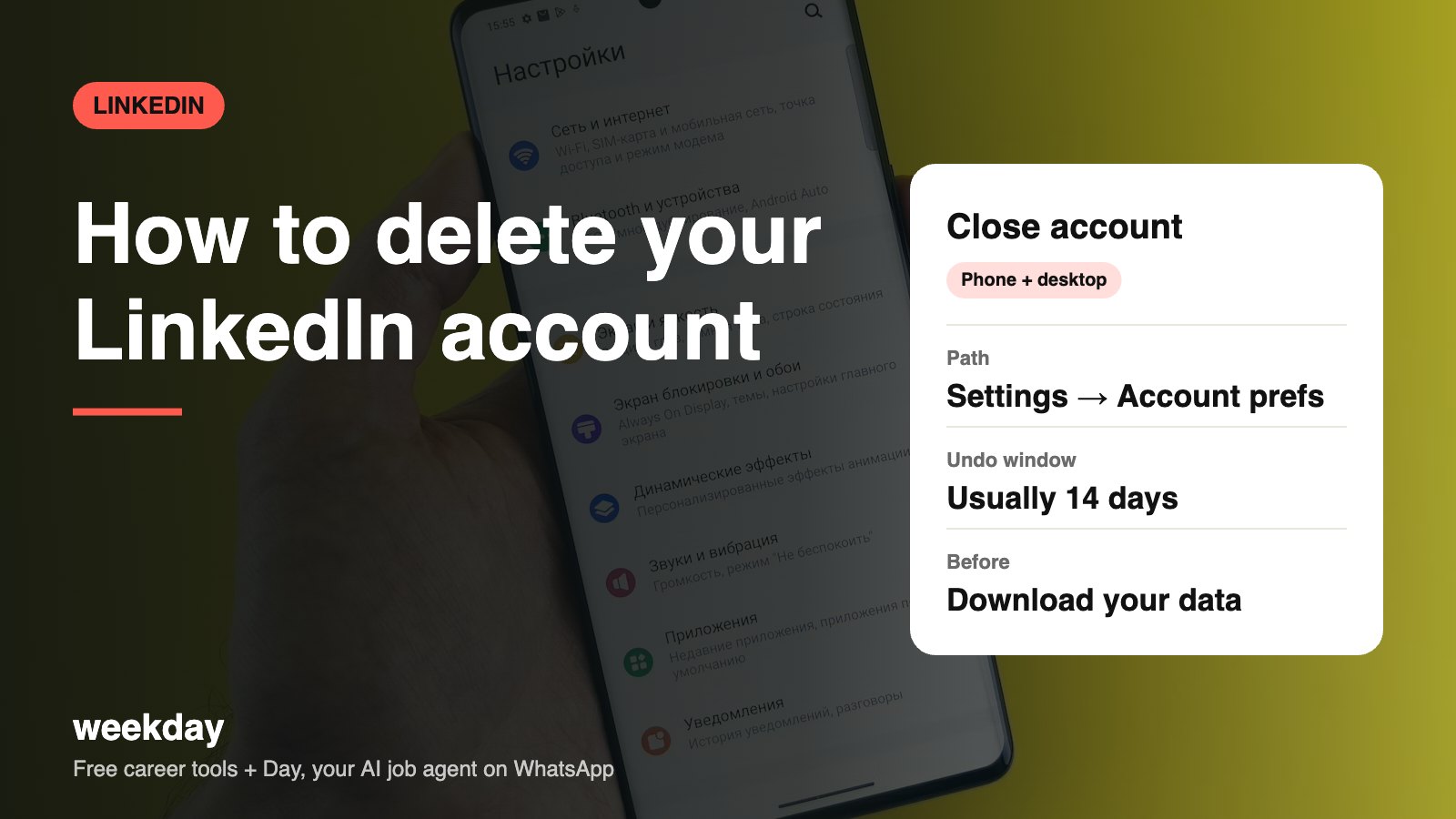
- Reactivation window: 14 days after closing. After that, the account can't be recovered.
- Even if you reactivate, endorsements, recommendations, group memberships, follows and pending invitations are not restored.
- If you pay for Premium, cancel it first. If you bought it through the App Store or Google Play, cancel it there.
- Your data archive usually arrives by email within about 24 hours (a smaller first file often comes sooner).
- Hibernate hides your profile and shows you as "A LinkedIn member" on past posts and messages, without deleting anything.
Sources: LinkedIn Help Center (account closure, reactivation, hibernation, data export), checked November 2026.
Day, Weekday's free AI job agent, finds matching jobs and applies when you say yes, right on WhatsApp. No profile to maintain.
Say hi to Day on WhatsAppHow Day works →Close, hibernate or just go quiet?
LinkedIn has no separate "deactivate" button. Its version of deactivation is hibernation. Here's how the three choices compare.
| Close account | Hibernate account | Stay, but go quiet | |
|---|---|---|---|
| Profile visible? | No | No | Yes, but you can limit it |
| Connections and messages | Deleted after 14 days | Kept | Kept |
| Your past posts and comments | Removed | Shown as "A LinkedIn member" | Visible |
| Can you come back? | Within 14 days only | Yes, any time (usually after at least 24 hours) | Yes |
| Recommendations and endorsements | Lost for good | Kept | Kept |
| Best for | Leaving permanently, duplicate accounts, privacy | A break, burnout, a sensitive period at work | Too many notifications or recruiter spam |
If you're closing because your employer might see you job hunting, you don't need to leave. Use the recruiters-only setting covered in our Open to Work guide.
Before you close: a checklist
| Task | Where | Why it matters |
|---|---|---|
| Download your data | Settings & Privacy → Data privacy → Get a copy of your data | Connections, messages and your profile text are lost after 14 days |
| Cancel Premium | Me → Premium features → Manage Premium account (or App Store / Google Play) | Closing may not stop billing on a store subscription |
| Transfer groups you own | The group's settings → Manage → transfer ownership | LinkedIn asks owners to hand over groups before closing |
| Hand over Company Pages | Page admin tools → Manage admins | Add another admin so the Page isn't orphaned |
| Save recommendations | Your profile → Recommendations → copy or screenshot | They can't be restored, even if you reopen |
| Update your resume and email signature | Your files | Remove the LinkedIn link so it doesn't lead to a dead page |
| Tell close contacts | A short message (sample below) | They lose your chat history and contact info |
Sample message to send close contacts before you leave
Hi Ankit, I'm closing my LinkedIn account this week. I'd love to stay in touch, so here's my email: priya.sharma@gmail.com, and my number is 98xxx xxx10. Thanks for all the help over the years!
How to download your data first
| Step | Desktop | Android | iPhone |
|---|---|---|---|
| 1 | Click Me → Settings & Privacy | Tap your photo → Settings | Tap your photo → Settings |
| 2 | Data privacy → Get a copy of your data | Data privacy → Get a copy of your data | Data privacy → Get a copy of your data |
| 3 | Choose Download larger data archive (everything) or pick specific files | Same | Same |
| 4 | Click Request archive and enter your password | Tap Request archive | Tap Request archive |
| 5 | Download from the email link (usually within 24 hours) | Better done on a laptop; the ZIP is large | Save the ZIP to Files, then open on a laptop |
The archive arrives as CSV files. The most useful ones are Connections.csv (names, companies, and email addresses for people who allow it), messages.csv, Profile.csv and Recommendations_Received.csv.
How to close your LinkedIn account on Desktop
| Step | What to do |
|---|---|
| 1 | Log in at linkedin.com and click Me (your photo, top right). |
| 2 | Choose Settings & Privacy. |
| 3 | Click Account preferences in the left menu. |
| 4 | Scroll to Account management and click Close account. |
| 5 | Read the summary of what you'll lose and click Continue. |
| 6 | Pick a reason (duplicate account, too many emails, privacy, other) and click Next. |
| 7 | Enter your password, optionally untick email updates, and click Close account. |
How to close it on Android
| Step | What to do |
|---|---|
| 1 | Open the LinkedIn app and tap your profile photo (top left). |
| 2 | Tap Settings. |
| 3 | Tap Account preferences. |
| 4 | Scroll to Account management and tap Close account. |
| 5 | Tap Continue, pick a reason, then Next. |
| 6 | Enter your password and tap Close account. |
| 7 | If you paid for Premium through Google Play, open Play Store → profile → Payments & subscriptions → Subscriptions and cancel LinkedIn there. |
How to close it on iPhone
| Step | What to do |
|---|---|
| 1 | Open the LinkedIn app and tap your profile photo. |
| 2 | Tap Settings, then Account preferences. |
| 3 | Scroll to Account management → Close account. |
| 4 | Tap Continue, choose a reason, tap Next. |
| 5 | Enter your password (Face ID autofill works if your password is saved) and confirm. |
| 6 | If you bought Premium in the app, cancel it in iPhone Settings → your name → Subscriptions → LinkedIn. Deleting the app does not cancel it. |
LinkedIn moves menu labels around now and then, and the Android and iPhone apps don't always update on the same day. If a label looks slightly different on your screen, look for the closest match.
Prefer a break? How to hibernate
| Step | Desktop | Android / iPhone |
|---|---|---|
| 1 | Me → Settings & Privacy → Account preferences | Photo → Settings → Account preferences |
| 2 | Account management → Hibernate account | Account management → Hibernate account |
| 3 | Pick a reason, enter your password, confirm | Same |
| To return | Log in again and follow the reactivate prompt | Same |
What happens after you close it
| When | What happens |
|---|---|
| Immediately | Your profile stops showing on LinkedIn. You're logged out on all devices. |
| Days 1–14 | You can log in and reopen the account. Most of your profile and connections come back. |
| After day 14 | Closure is permanent. The account and its data can't be recovered. |
| Next few weeks | Your profile drops out of Google and other search engines as they refresh their index. |
| Ongoing | Messages you sent stay in the other person's inbox, usually shown as from a LinkedIn member. |
| If you return later | You sign up fresh. You can usually reuse the same email once the old account is fully closed. |
If you reactivate within 14 days
| Comes back | Lost for good |
|---|---|
| Profile details (headline, experience, education) | Endorsements |
| Most connections | Recommendations (given and received) |
| Message history | Group memberships |
| Settings | People and pages you followed |
| Ignored or pending invitations |
To reactivate: go to linkedin.com, sign in with the same email and password, and choose Reactivate. LinkedIn sends a confirmation email; click the link in it. If you've forgotten your password, reset it first from the sign-in page.
Troubleshooting
| Problem | Likely cause | Fix |
|---|---|---|
| Close account option is missing | Older app version or a menu change | Update the app, or use linkedin.com on a browser |
| "You must cancel Premium first" | Active paid subscription | Cancel Premium (or on the App Store / Play Store), wait for it to process, then try again |
| Asked to transfer a group | You own a LinkedIn group | Make another member the owner, then close |
| Forgot password | Can't confirm closure | Reset it from the sign-in page with your email or phone |
| Can't access the email on the account | Old work email | Add a personal email in Settings → Sign in & security, make it primary, then close |
| Two accounts by mistake | Duplicate sign-ups | Log in to the one you don't want, download anything you need, and close it |
| Still showing on Google | Search cache | Wait a few weeks; you can also request removal of an outdated page through Google's tool |
| Account of someone who has passed away | Family can't log in | Use LinkedIn's deceased member request form in the Help Center |
Closing for one reason? There may be a smaller fix
Most people who close LinkedIn are annoyed by one specific thing. If that's you, fix the thing and keep the network you spent years building.
| Your reason | Smaller fix | Where |
|---|---|---|
| Too many emails and notifications | Turn off email categories and push alerts you don't want | Settings → Notifications |
| Recruiter spam | Turn off InMail from recruiters or narrow Open to Work titles | Settings → Communications → Who can reach you |
| Don't want my employer to see me job hunting | Use Open to Work with Recruiters only; turn off 'Share profile updates' | Profile → Open to; Settings → Visibility |
| Privacy: don't want to show up on Google | Turn off public profile visibility | Public profile & URL → toggle off |
| Ex-colleague or someone harassing me | Block and report the person | Their profile → More → Report / Block |
| Hacked account | Reset password, sign out of all sessions, turn on two-step verification | Settings → Sign in & security |
| Don't use it any more | Hibernate for a few months before deciding | Account preferences → Hibernate account |
A quick cost check: if you have 500 connections and 10 recommendations, rebuilding that later takes months. Recommendations in particular are lost for good the moment you close, even if you reopen within 14 days. If there's any chance you'll job hunt again in the next two years, hibernation is the safer choice.
Changed your mind? Here's how to set up a strong LinkedIn profile instead, and how to upload your resume for Easy Apply so it actually works for you.
FAQs
How do I permanently delete my LinkedIn account?
Me → Settings & Privacy → Account preferences → Account management → Close account, then confirm with your password. It becomes permanent after 14 days.
Can I recover my LinkedIn account after deleting it?
Yes, within 14 days of closing it, by signing in and choosing Reactivate. Endorsements, recommendations, groups and follows won't come back.
What is the difference between closing and hibernating LinkedIn?
Closing deletes the account after 14 days. Hibernating hides your profile and shows you as 'A LinkedIn member', but keeps everything so you can return.
Is there a deactivate option on LinkedIn?
Not by that name. Hibernate account is LinkedIn's version of temporary deactivation.
Does deleting LinkedIn cancel Premium?
Cancel Premium first. If you bought it via the App Store or Google Play, you must cancel it there; deleting the app or account may not stop billing.
How do I download my LinkedIn data before deleting?
Settings & Privacy → Data privacy → Get a copy of your data → Request archive. It usually arrives by email within 24 hours.
Can I delete LinkedIn from the app?
Yes. On Android or iPhone: profile photo → Settings → Account preferences → Close account.
Will my messages be deleted?
They disappear from your side. People you messaged may still see past conversations.
Can I create a new account with the same email?
Usually yes, once the old account is fully closed after the 14-day window.
Why can't I close my LinkedIn account?
Common reasons: an active Premium subscription, a group you still own, or an old app version. Fix those, or try on a desktop browser.